Android MUD Client

Luggage.

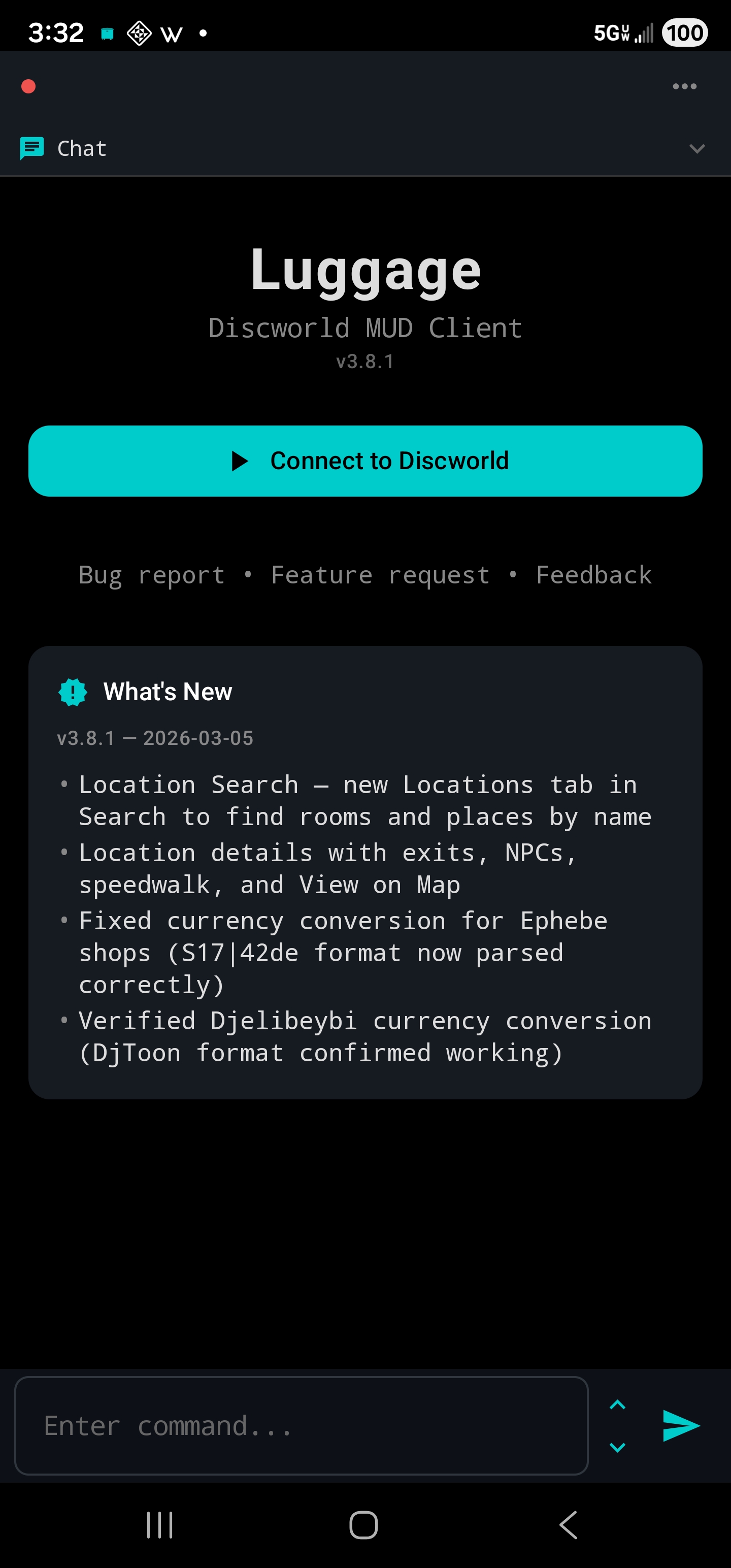
A dedicated Android client for Discworld MUD, built for mobile play. Maps, speedwalk, item search, XP tracking, and everything you need to explore the Disc from your phone.

Luggage App Icon
🧪
Beta

Help Get Luggage on Google Play

Google requires at least 12 testers opted into a closed test for 14 days before publishing. You don't need to do anything beyond joining and installing — though feedback is always welcome!

A free, purpose-built Discworld client for the whole community. Thanks for helping make it happen.

Built for the Disc.

🗺

Live Map & Speedwalk

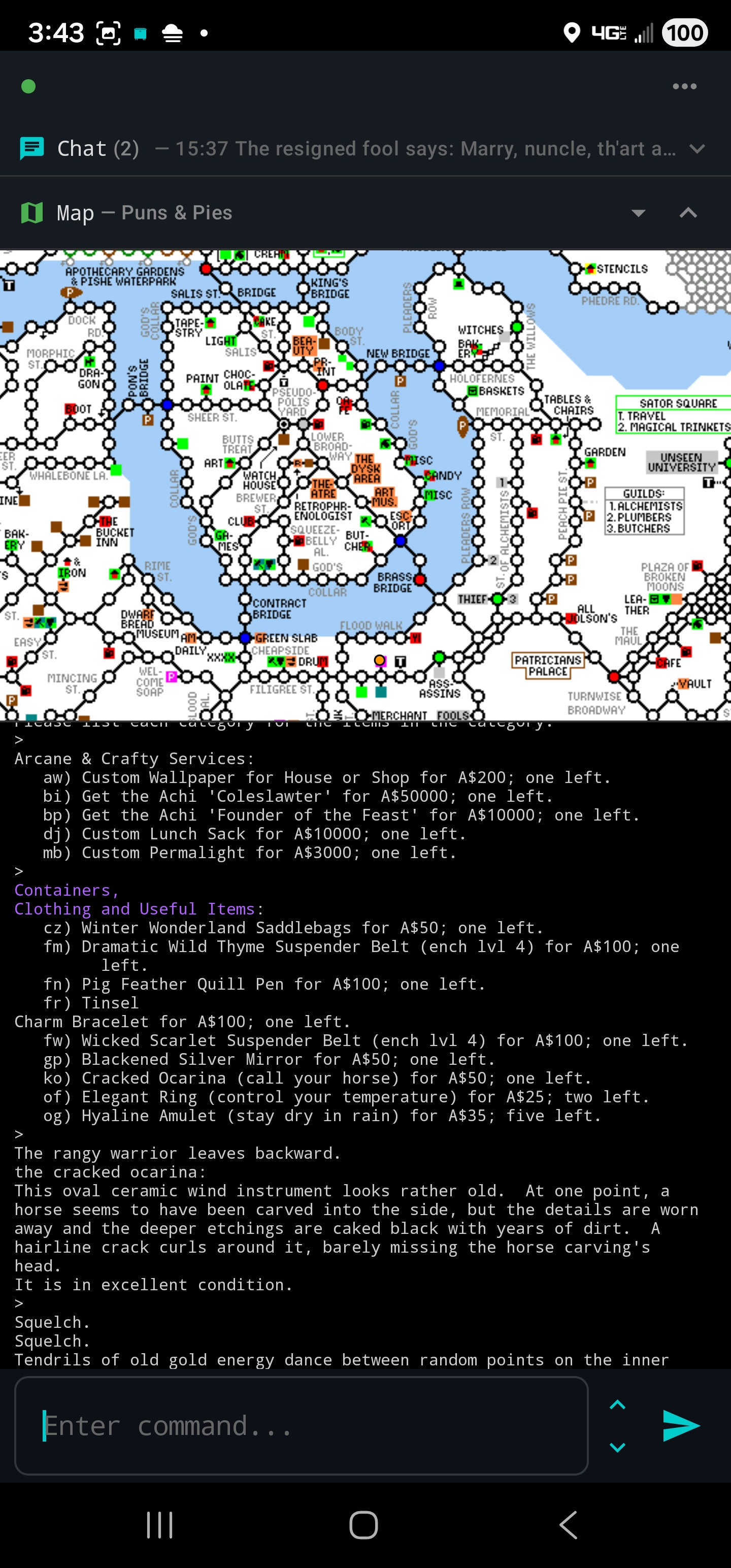
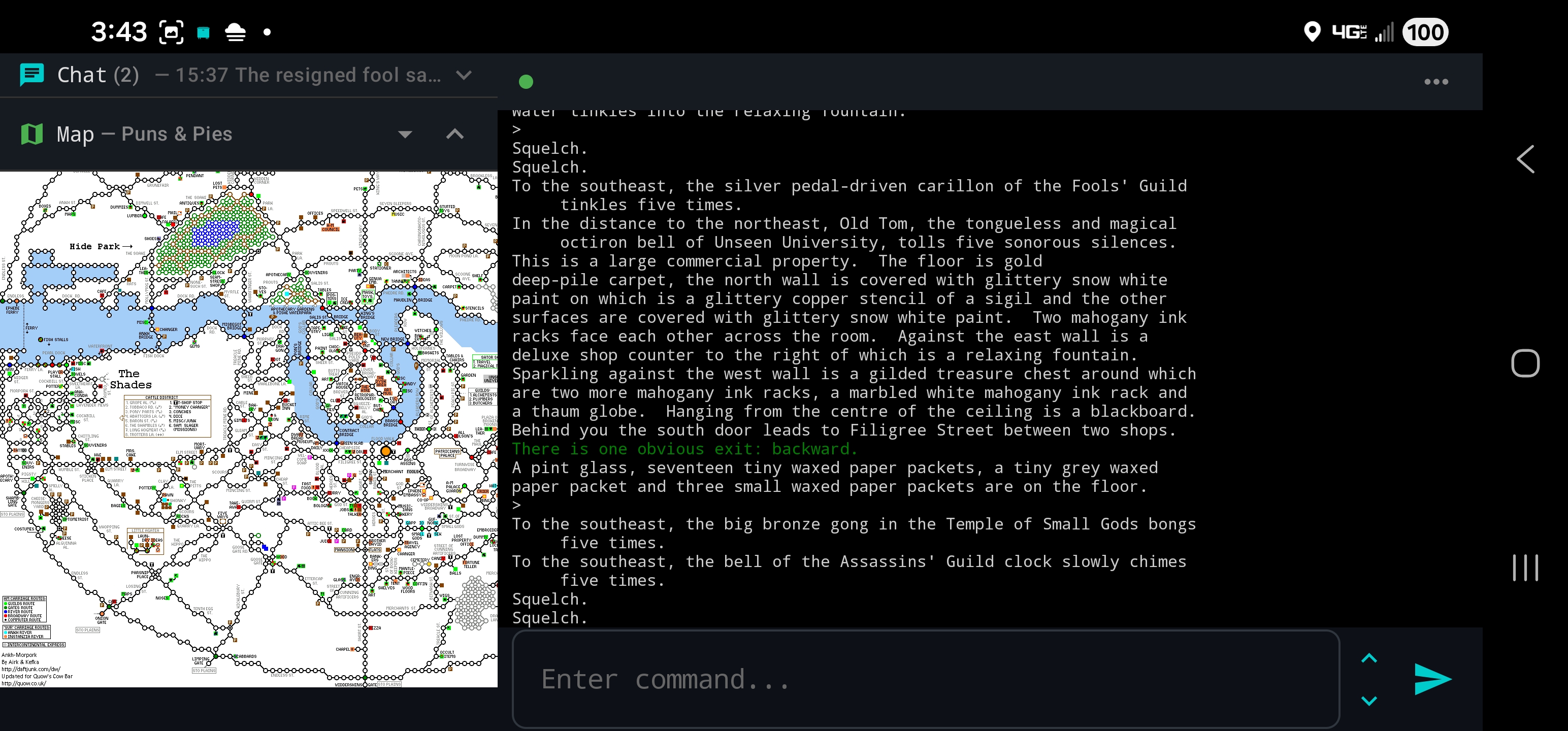
A real-time minimap shows your location across 66 area maps. Tap any room to auto-walk there with a progress bar tracking your journey. Cross-map routes fully supported. Powered by Quow's Discworld mapper.

GMCP · Navigation
🔍

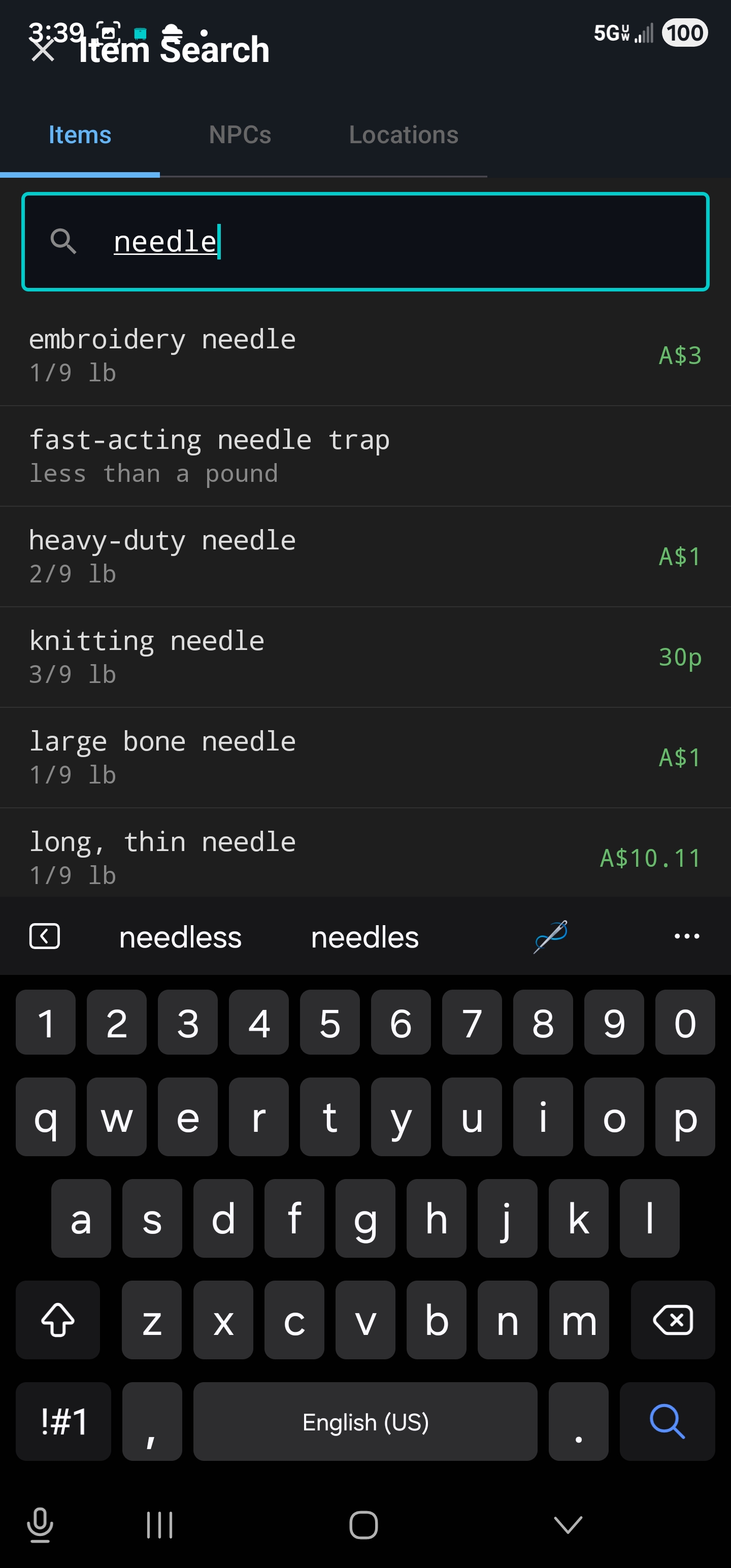
Item & NPC Search

Search over 11,000 items and 2,900 NPCs from the Discworld database. See shops, prices, and distances — then tap to speedwalk to the closest seller.

Database · 14K+ Entries
🎒

Inventory Panel

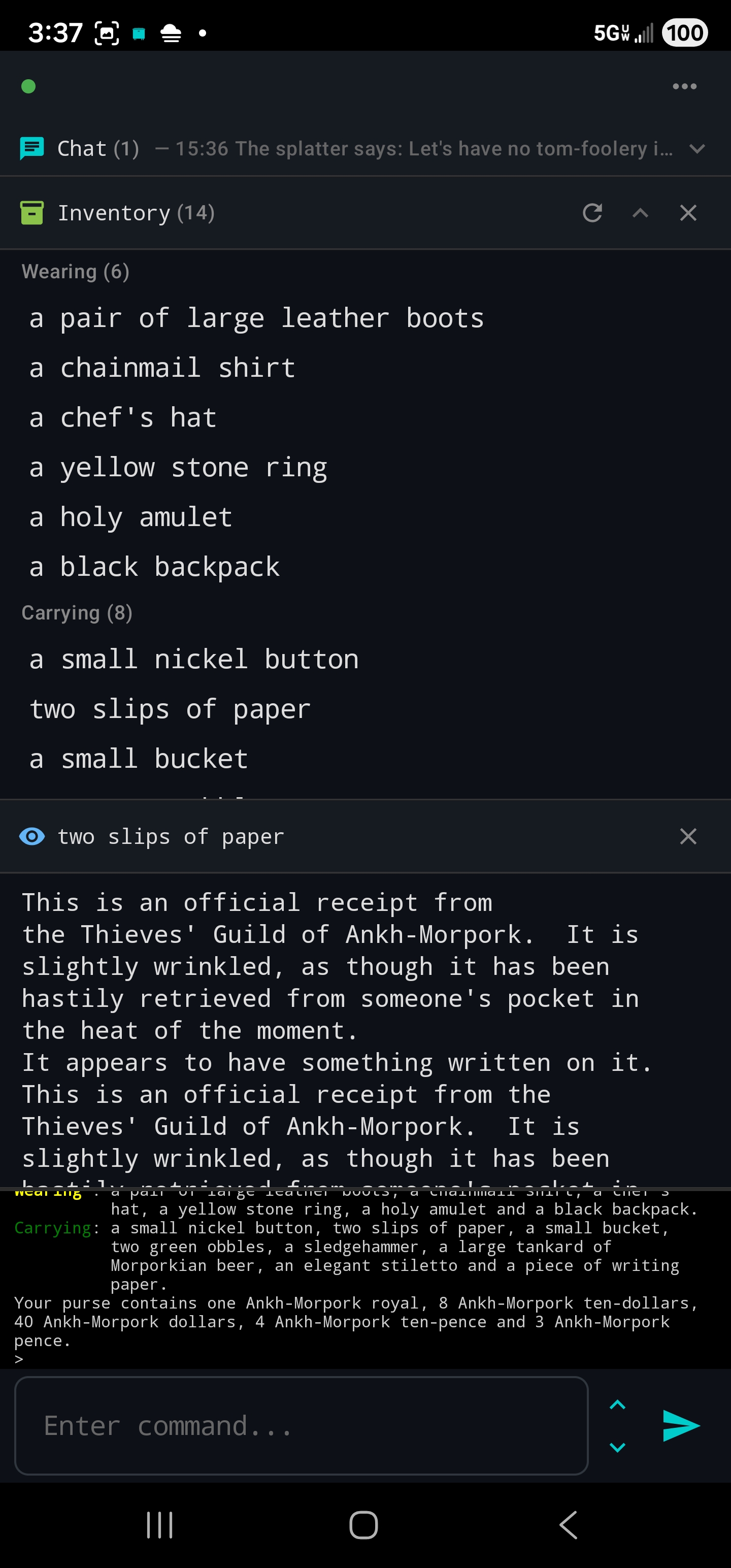
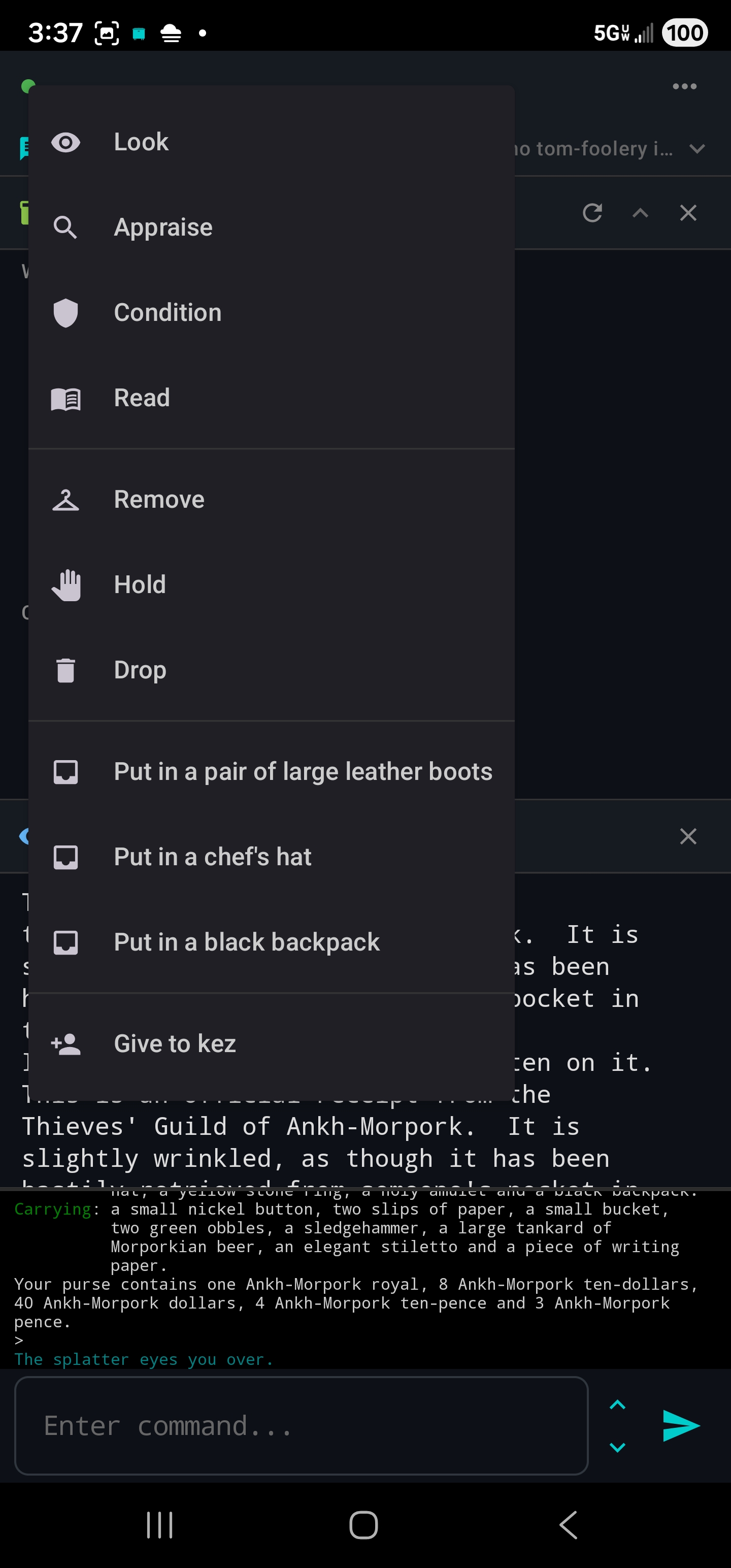
Tap to see everything you're holding, wearing, and carrying. Context actions on every item — look, appraise, wear, remove, drop. Look inside containers, move items between them, and give items to nearby players.

Items · Containers
🛒

Shop Panel

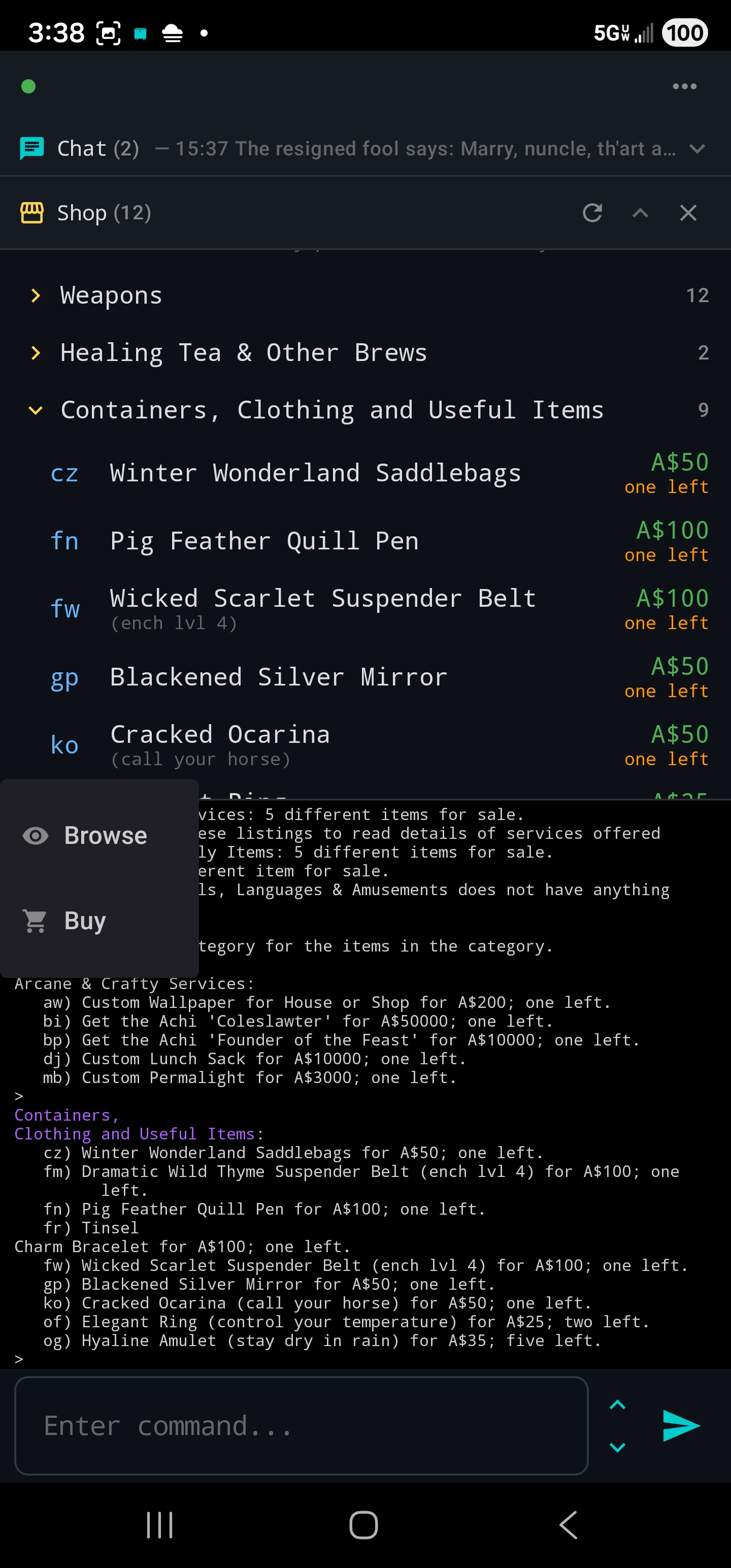
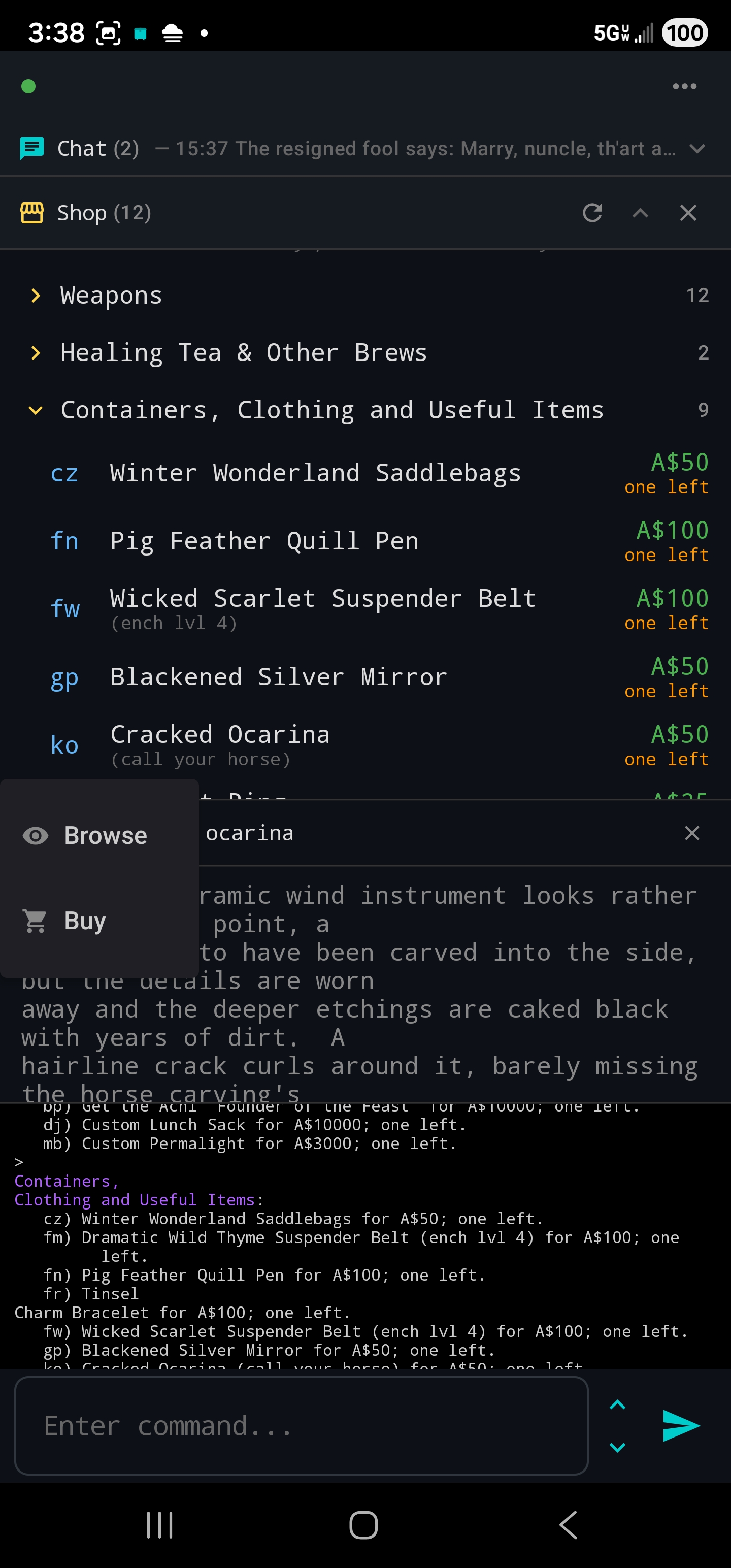
Browse any shop's inventory from a toolbar panel. View items, read descriptions, and buy with a tap. Supports both NPC and player-run shops with optional currency conversion between all seven Disc regions.

Shopping · Currency
📈

XP Tracker

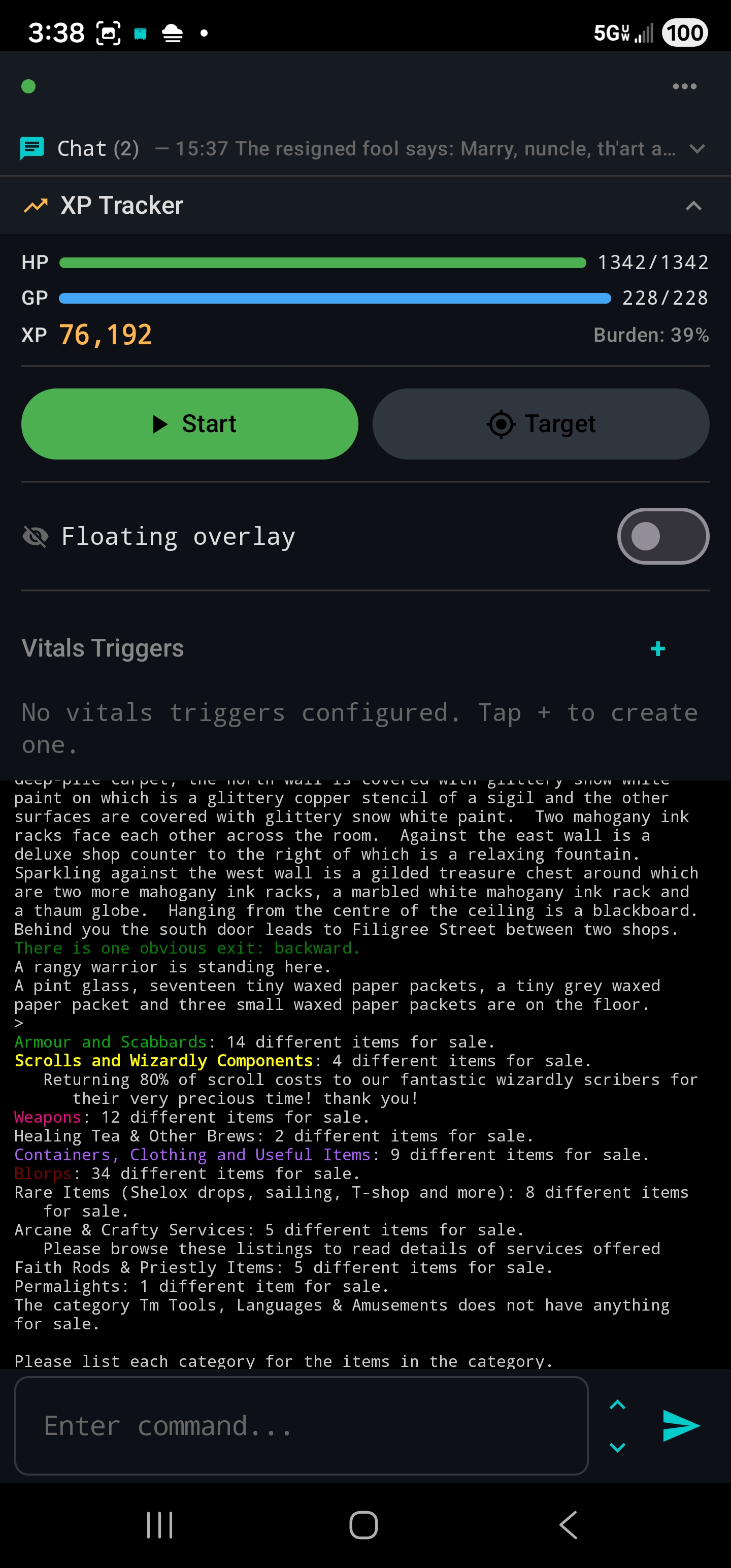
Live HP and GP bars, session XP tracking with XP/hr, targets with ETA, a floating overlay HUD, and up to 50 saved sessions of history.

Vitals · Tracking
👥

Who's Online & Souls

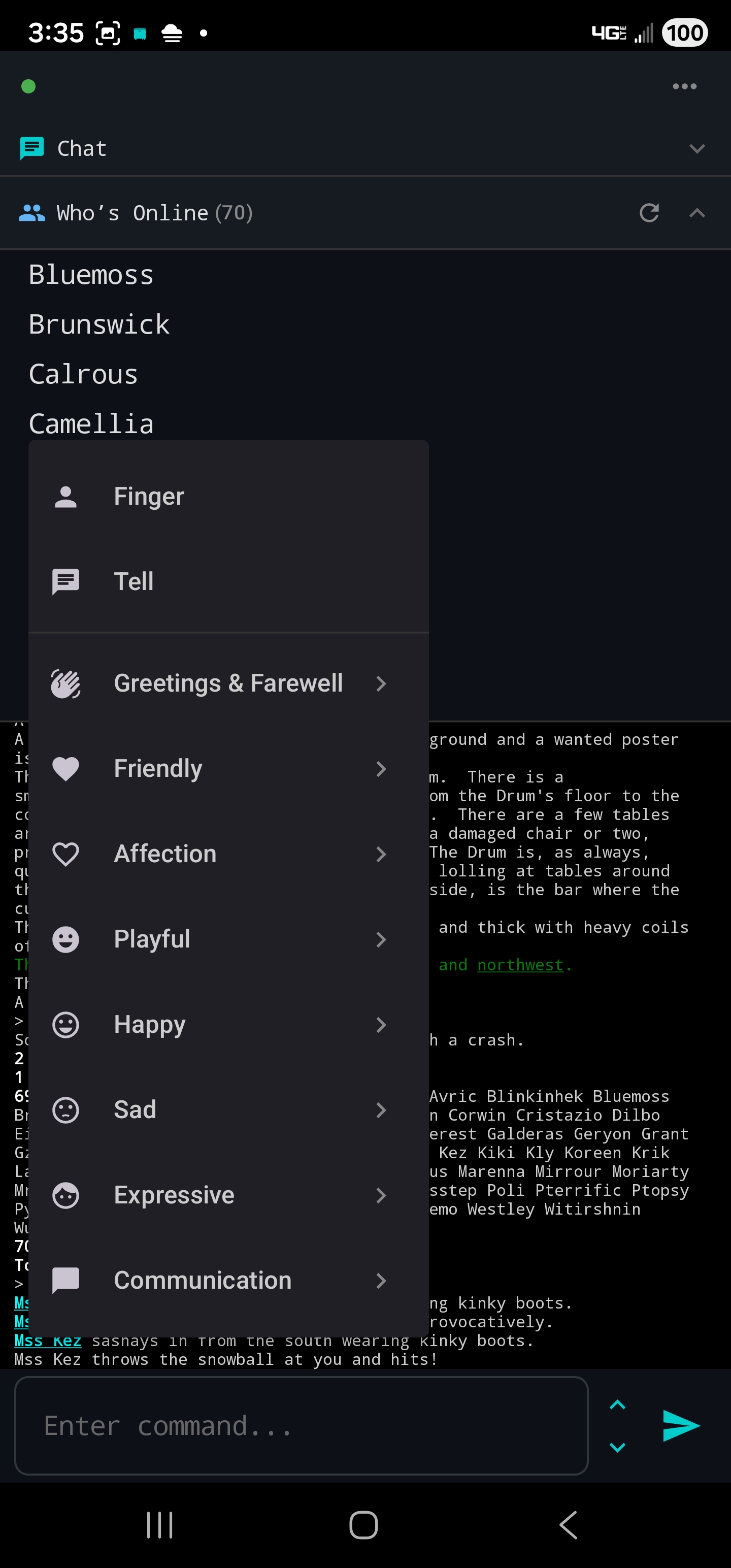
See who's logged in, finger or tell with one tap, and send from 659 soul commands across 16 categories — from bowing to bonking.

Social · 659 Souls
📖

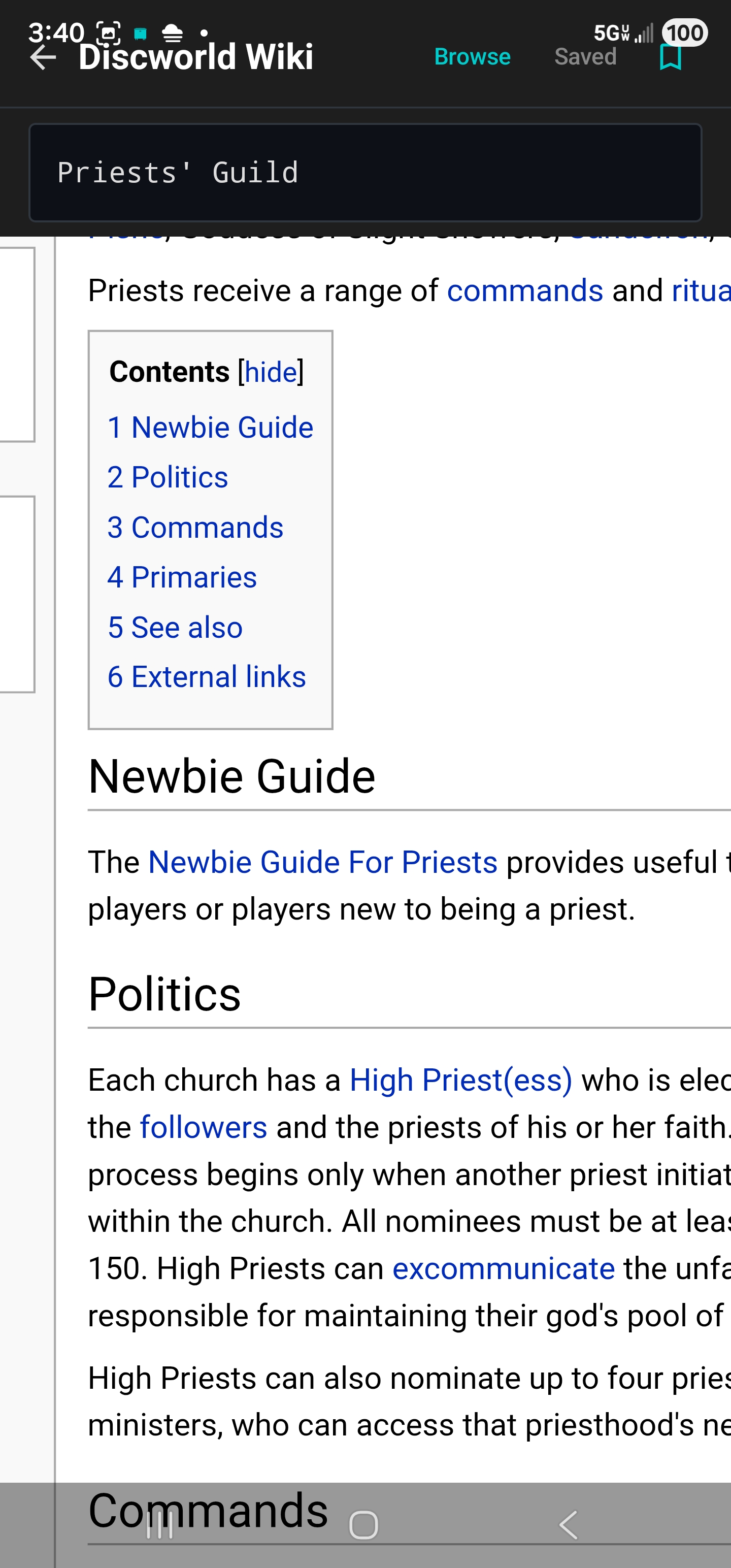
Discworld Wiki

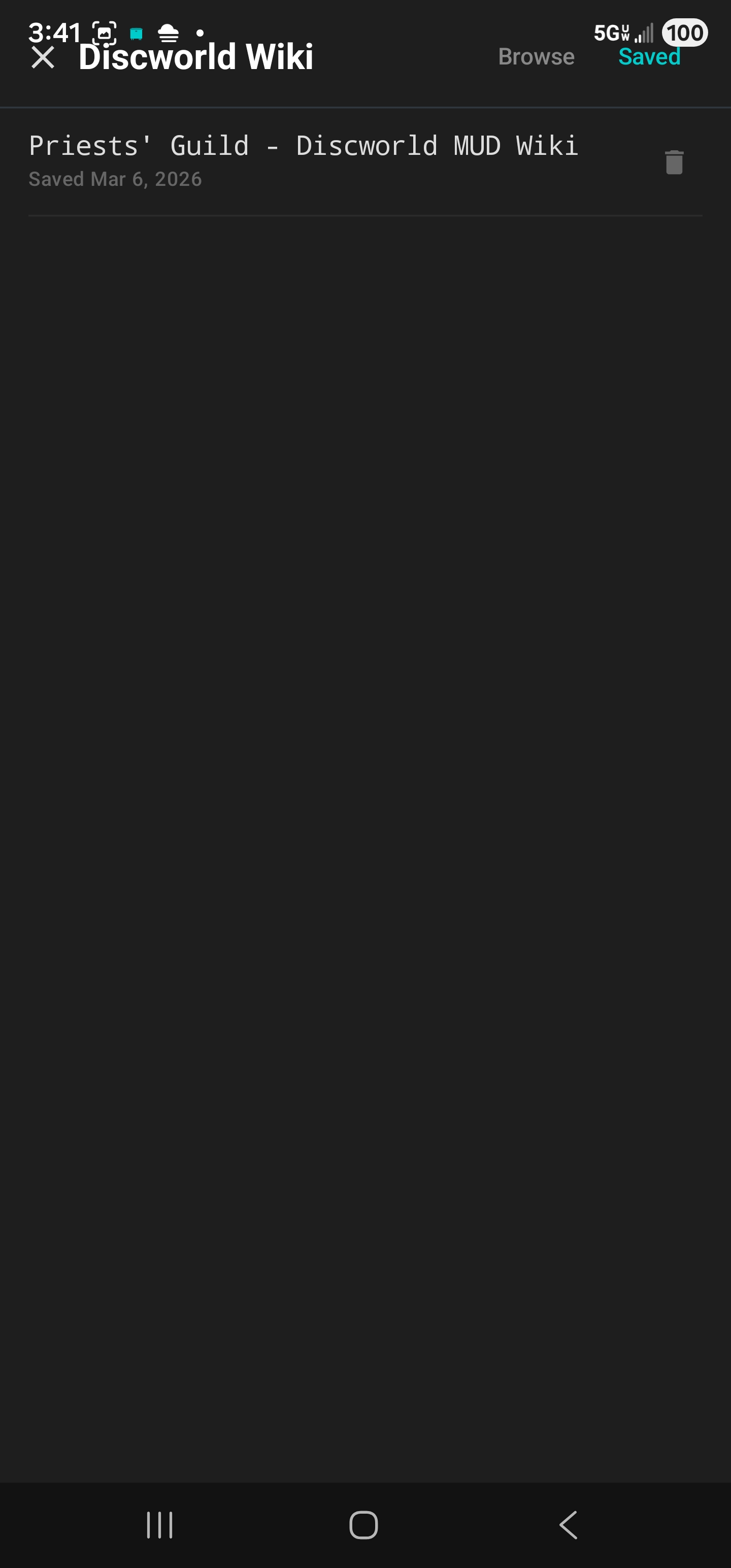
Built-in wiki browser with search, pinch-to-zoom, and offline page saving with embedded images. Look things up without leaving the game.

Reference
💬

Chat Capture

Configurable rules pull tells, channels, and chat into a collapsible panel so conversations don't get lost in the scroll of game output.

Communication
👤

Clickable Players

Player names are automatically detected and tappable. Finger, tell, or send a soul command with a single tap — no typing needed.

Interactive

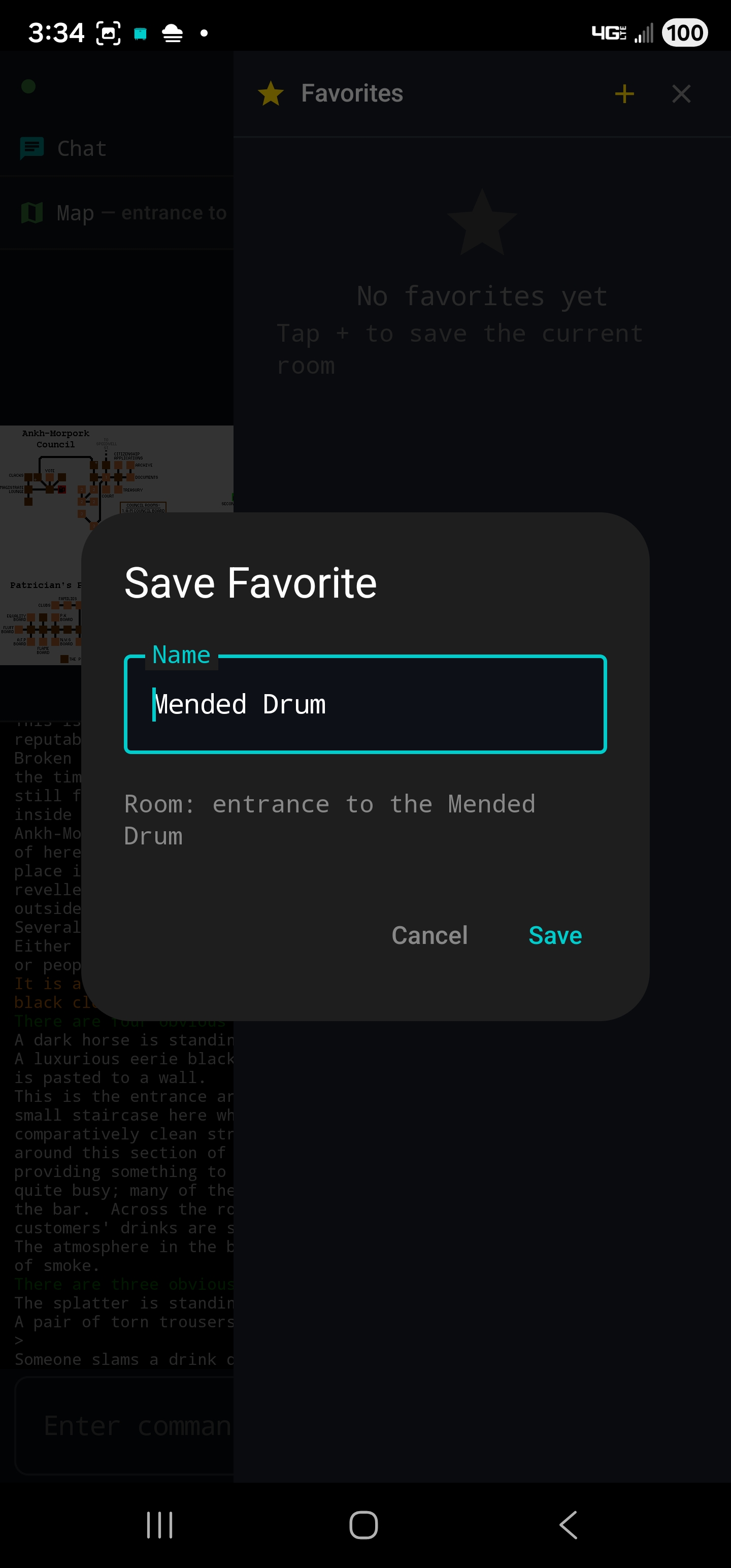
Favorites

Save rooms as named bookmarks for one-tap travel. Guild halls, shops, quest spots — get back to your favourite places instantly.

Quick Travel

Quick Commands

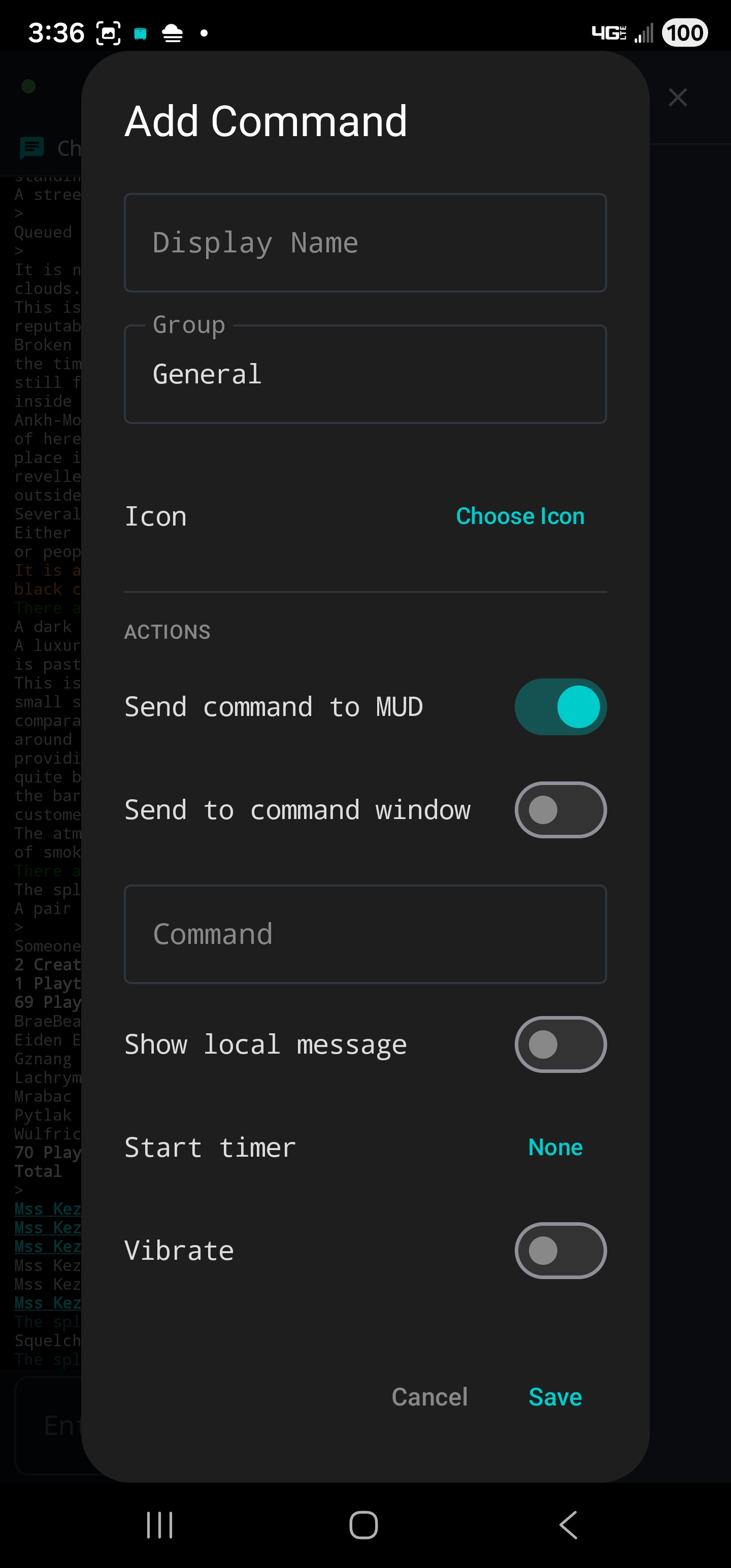
Custom one-tap action buttons organized into groups. Floating overlay buttons stay on screen where you need them. Tap to fire, long-press to edit.

Customization
🎯

Radial Wheels

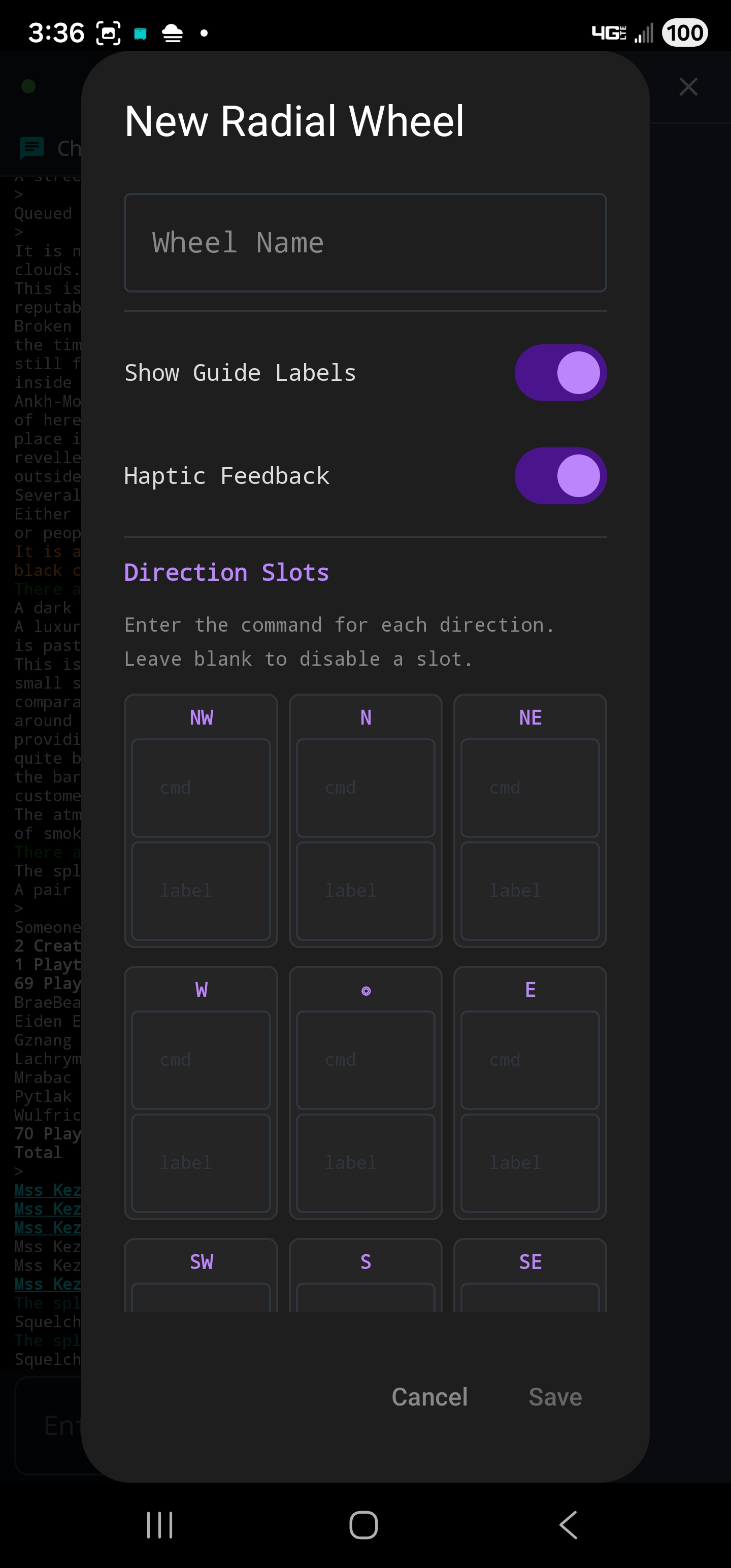
Press-and-drag gesture wheels for fast directional commands. Fully customizable sectors with haptic feedback on every crossing.

Gestures
👈

Swipe Navigation

Two-finger swipe on the game output to move in 8 compass directions with haptic feedback. Optional and off by default.

Gestures · 8 Directions
📝

Session Logging

Full HTML logs with ANSI colours preserved. Open in any browser to review past sessions exactly as they appeared on screen.

Recording

Command History

Recall your last 200 commands via arrow buttons, swipe gestures, or a hardware keyboard. Keep Last Command mode for easy repeats.

Utility
📦

Import & Export

Share your full configuration with other players via portable .luggage.json files. Merge or replace on import — great for backups too.

Sharing
🔌

Reliable Connection

A foreground service keeps your MUD connection alive in the background. Automatic reconnection and notification support keep you informed.

Stability

And many more features!

Combat buttons, mission tracking, autocomplete, and more. Have something to add?

Send Feedback →

Every Controller.
Your Adventure.

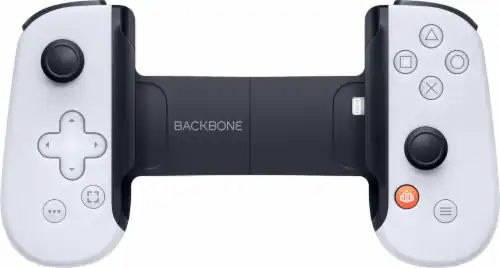
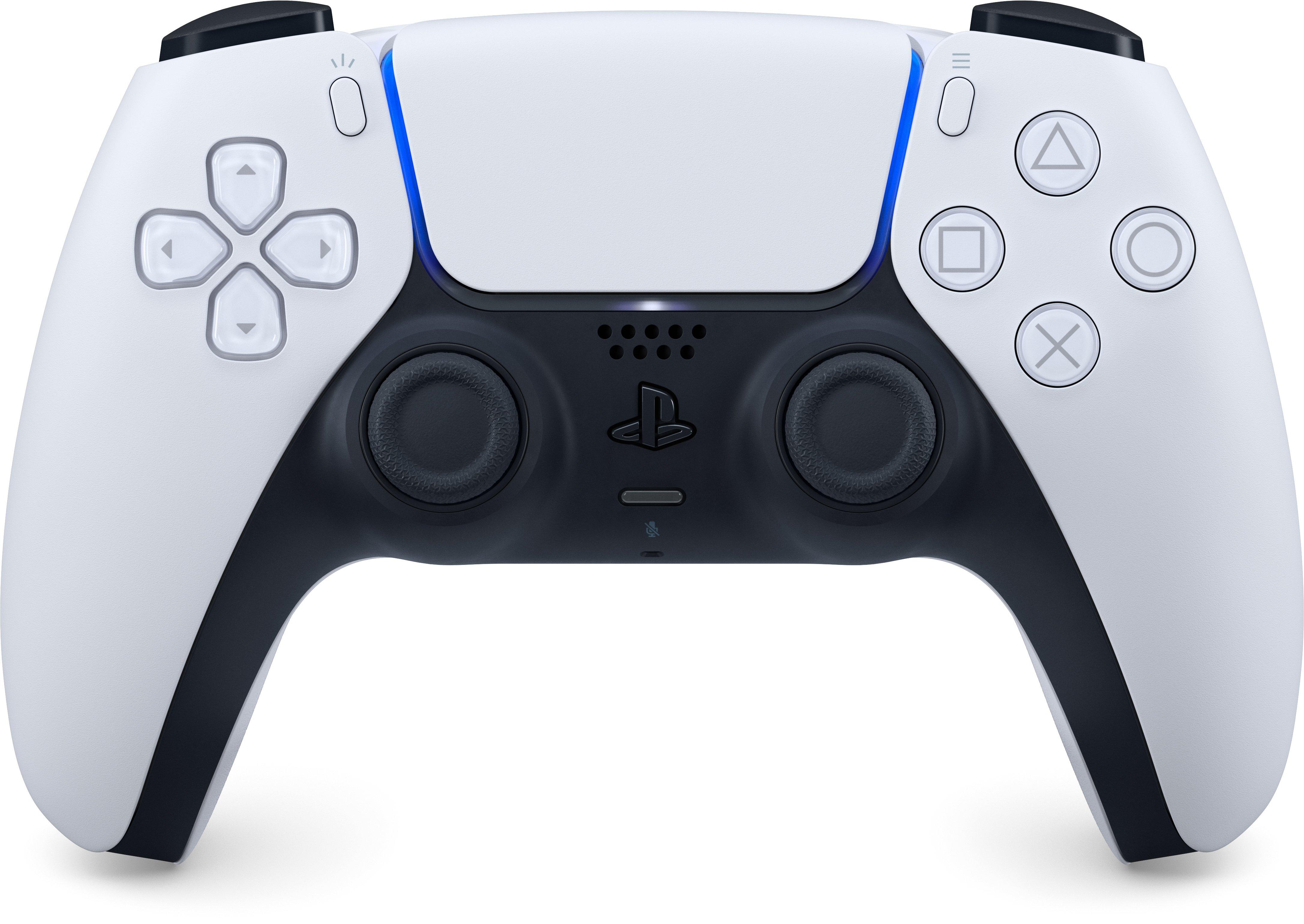
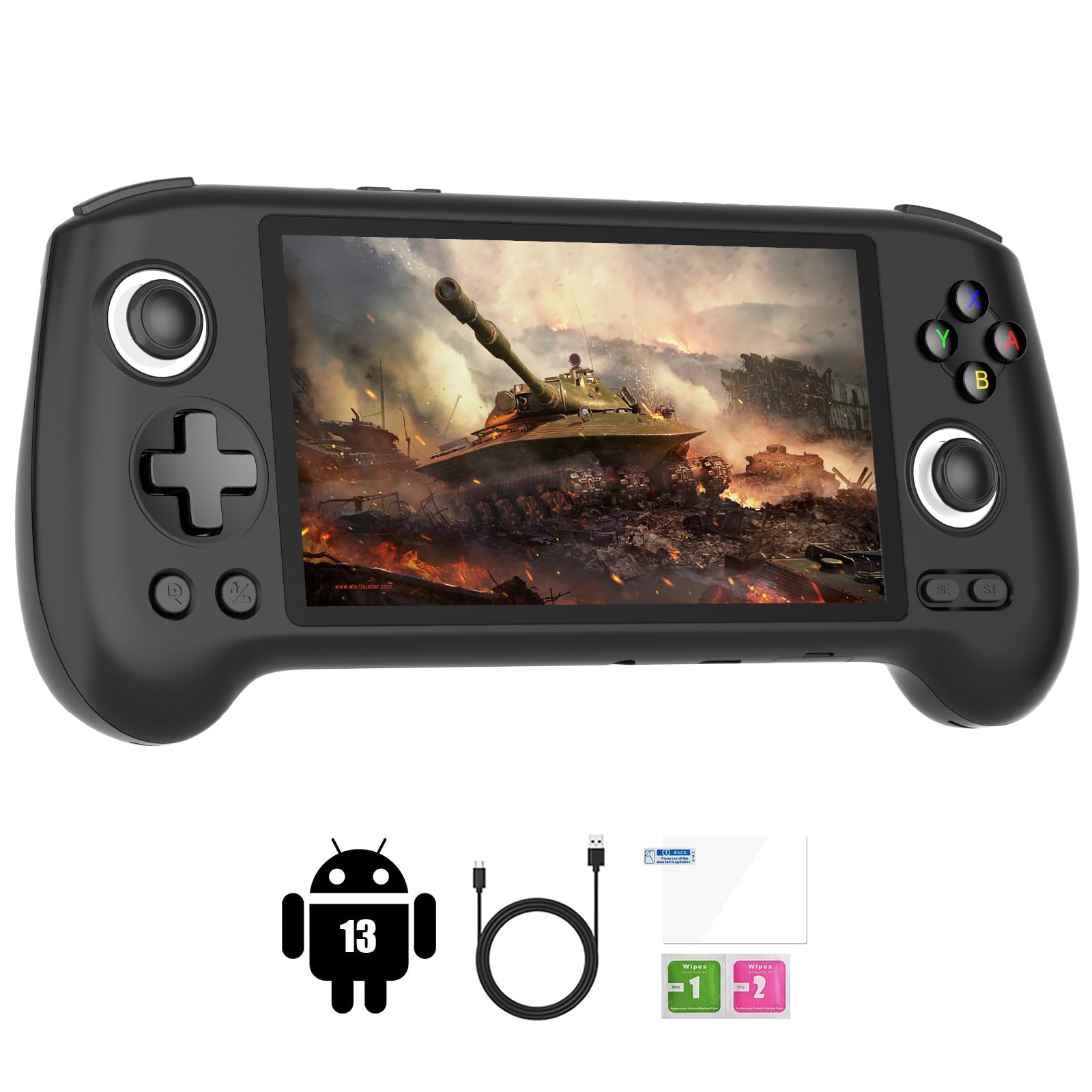
Bluetooth gamepad, clip-on controller, Android handheld — connect it and play. Full button mapping, radial command wheels, and on-screen menus built for thumbsticks.

Backbone One controller Backbone One
Xbox controller Xbox
PS5 DualSense controller DualSense
Android gaming handheld Android Handhelds
L1 Action Wheel R1 Radial Commands R2 Quick Buttons Y Keyboard D-Pad Movement L3 Look X Main Menu L2 Repeat Last

Screenshots.

Help & Features.

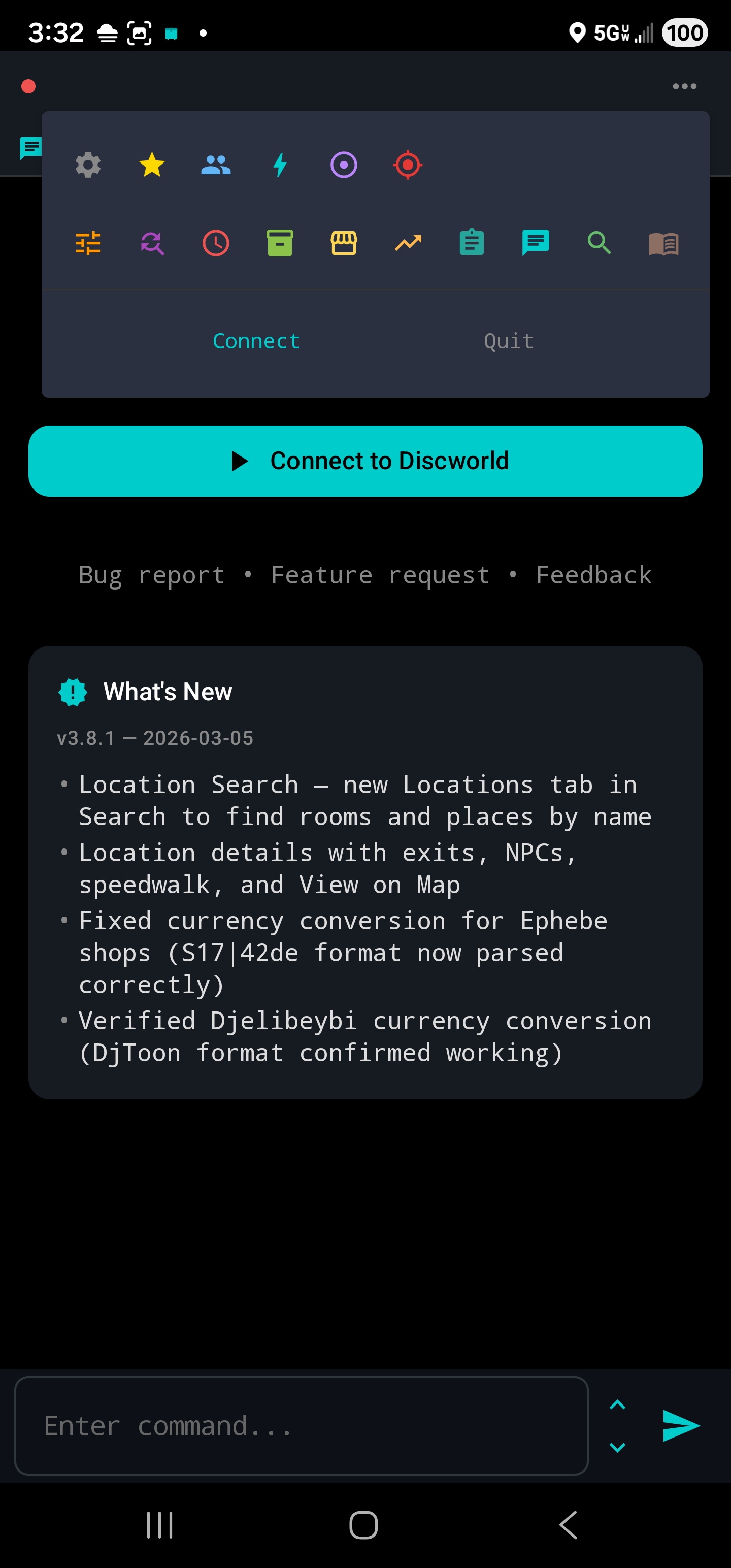
🔍 Item & NPC Search

The green magnifier icon in the toolbar opens a searchable database of over 11,000 Discworld items and 2,900 NPCs. Find what you need, see where to get it, and speedwalk there with a single tap.

Items Tab

Type at least 2 characters to search. Tap any result to see:

  • Full description, weight, and value
  • Every shop and NPC that sells it
  • Distance from your current room (in steps)
  • Tap a location to speedwalk there

NPCs Tab

Search NPCs by name. Tap to see their location, full inventory with prices, and a speedwalk button.

Distance & Navigation

Locations are sorted closest-first using pathfinding. Green = nearby, yellow = medium, red = far. Tap any location to auto-walk there.

💬 Chat Capture

The Chat Capture panel captures social messages into a separate scrollable area at the top of the game screen. Lines are copied (not moved) — they still appear in the main output.

Default Rules

  • Tells (received and sent)
  • Channel messages (One, Two, Cre, Newbie)
  • Says and shouts

Managing Rules

Open the cyan Chat icon in the toolbar to manage capture rules. Toggle rules on/off, edit patterns, add custom rules, or delete rules you don't need.

Tips

  • Add custom rules for guild channels or chat talkers
  • Use regex for complex patterns
  • The panel auto-scrolls to the latest message
Triggers

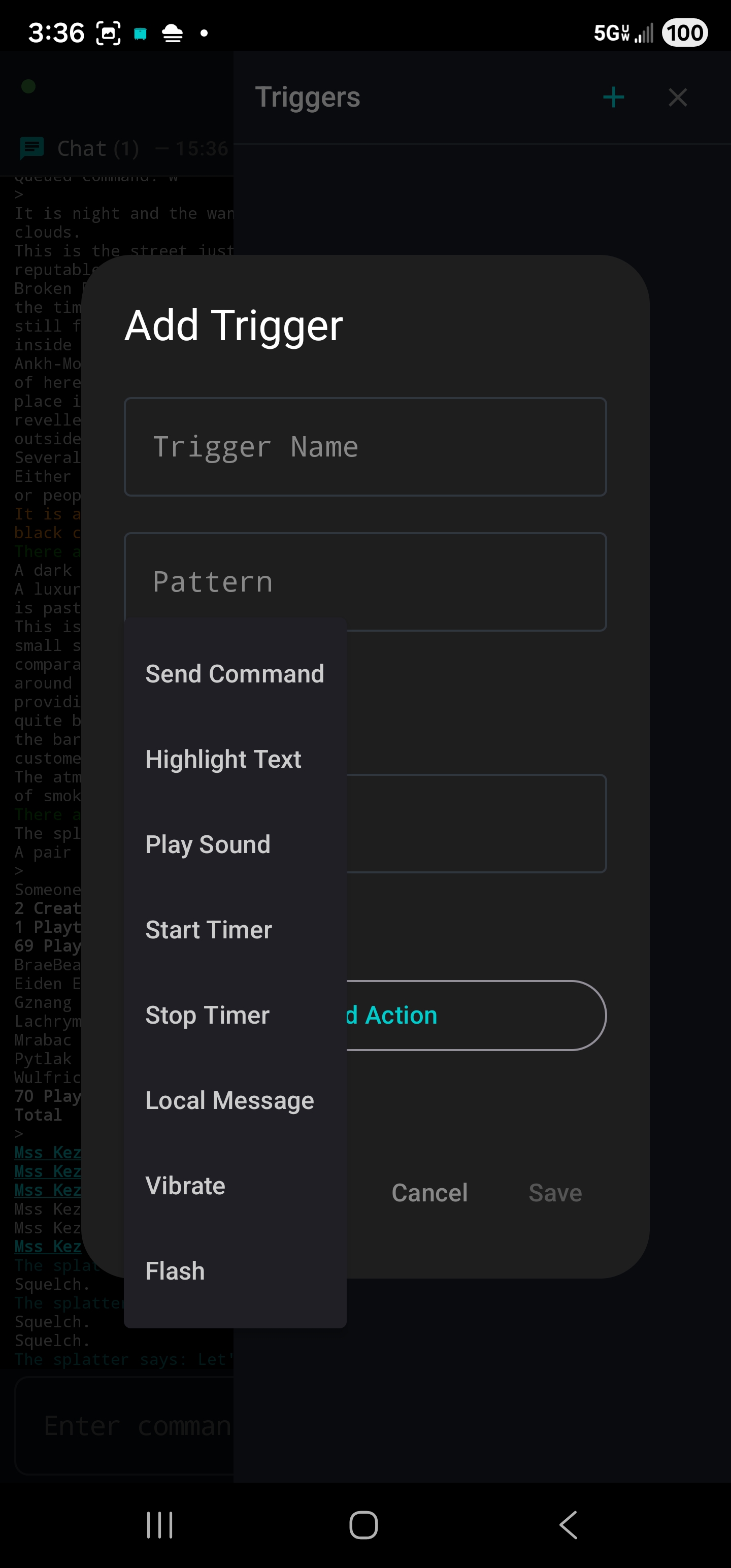
Triggers react to text that appears in the MUD. When a line matches a trigger's pattern, one or more actions fire.

Patterns

Simple substring matching (case-insensitive) by default. Toggle "Regex" for full regular expression support with capture groups.

Action Types

  • Send Command — sends a command to the MUD. With regex, use $1, $2 for captured groups
  • Highlight — changes text/background color, bold/italic styling. Whole line or matched text only
  • Play Sound — plays an audio file when the trigger matches

Groups & Tips

Organize triggers into groups (Combat, Social, Quests). Combine multiple actions — e.g., highlight a tell AND play a sound. Use the enable/disable toggle to temporarily pause triggers.

Discworld Automation Rules: The use of client-side automation — timers, scripts, auto-login etc. — is not allowed on Discworld. This includes anything that unidles your character without your direct input. Sending input without seeing your screen is also disallowed. Read the full rules →

Timers

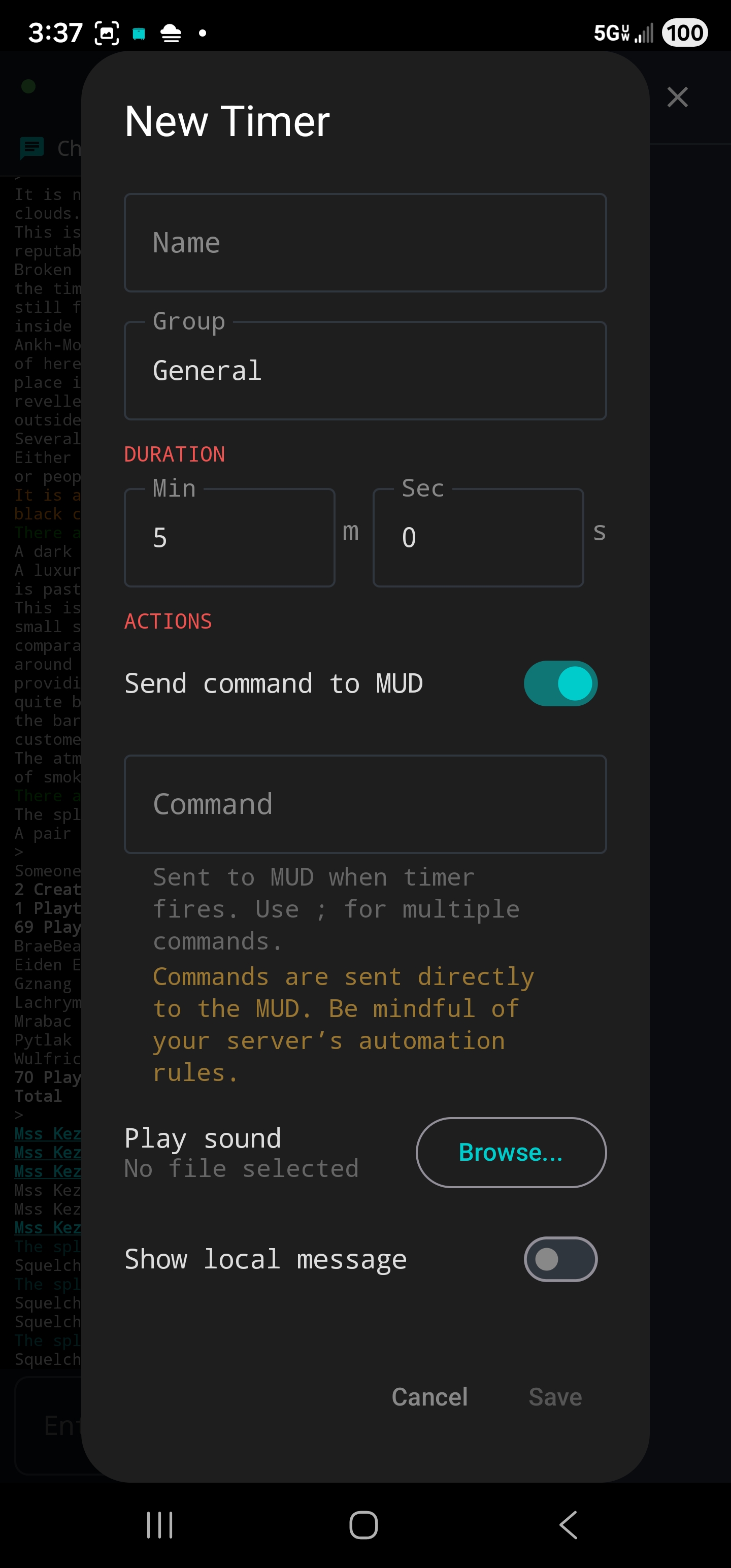
Schedule commands to fire after a delay. One-shot timers fire once; repeating timers loop on a fixed interval.

Features

  • Auto-start on connect
  • Max repeat count (or unlimited)
  • Trigger integration — triggers can start/stop timers
  • Live countdown display in the panel
  • Use semicolons for multiple commands

Background Behaviour

Timers continue running while your screen is off or Luggage is in the background, as long as you're connected. All timers stop automatically when you disconnect.

Timer Overlay

A floating, draggable HUD that shows live countdowns for selected running timers directly on the game output.

How It Works

Enable "Show in overlay" per timer. When running, a semi-transparent box shows label, M:SS countdown, and a progress bar. Multiple timers stack vertically. Drag to reposition — position is saved between sessions.

Settings

  • Opacity (20–100%)
  • Text size (8–20sp)
  • Width (100–300dp)
Quick Commands

Customizable action buttons that can send commands, display local messages, start timers, and optionally float as overlay buttons.

Action Types

  • Send to MUD — sends a command (or multiple with ;)
  • Local Message — displays a message that triggers can react to
  • Start Timer — starts a timer on tap

Overlay Buttons

Enable "Show as floating button" to place commands on the game screen. Long-press to drag, snap to an 8dp grid. Auto-hide after use and re-show when timer ends. Lock positions via the panel header.

Icons

Choose from 138 RPG-themed game icons or curated emoji. Icons appear alongside labels on overlay buttons.

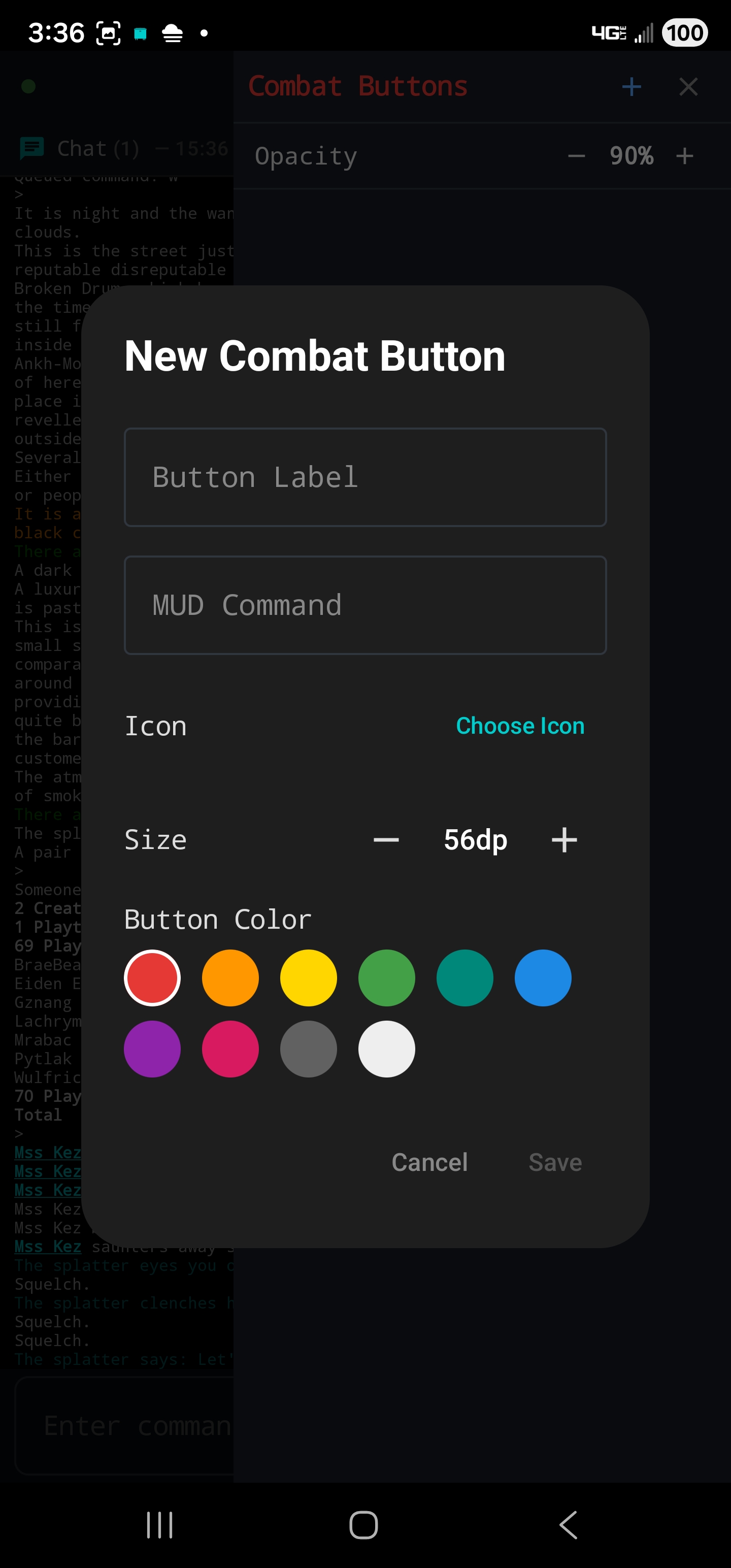
🎯 Combat Buttons

Floating action buttons that send combat commands using the consider-based target picker.

How It Works

Tap a combat button → Luggage sends 'consider all' → target picker shows nearby targets → tap a target → command fires (e.g., 'backstab sailor').

Customization

  • Custom label, command, icon, size (40–80dp), and color
  • Choose from 138 RPG icons (swords, shields, spells, potions)
  • Long-press to drag, snap to 8dp grid
  • Adjustable shared opacity
📳 Vibration & Flash Alerts

Triggers, timers, and quick commands can vibrate the device or flash the camera LED when they fire.

Vibration

Customize pulse count (1–20), duration (50–2000ms), pause between pulses, and strength (0–255). Use the Test button to preview.

Camera Flash

Customize flash count (1–10), duration (50–1000ms), and pause between flashes. Uses the rear camera LED.

🔄 Aliases

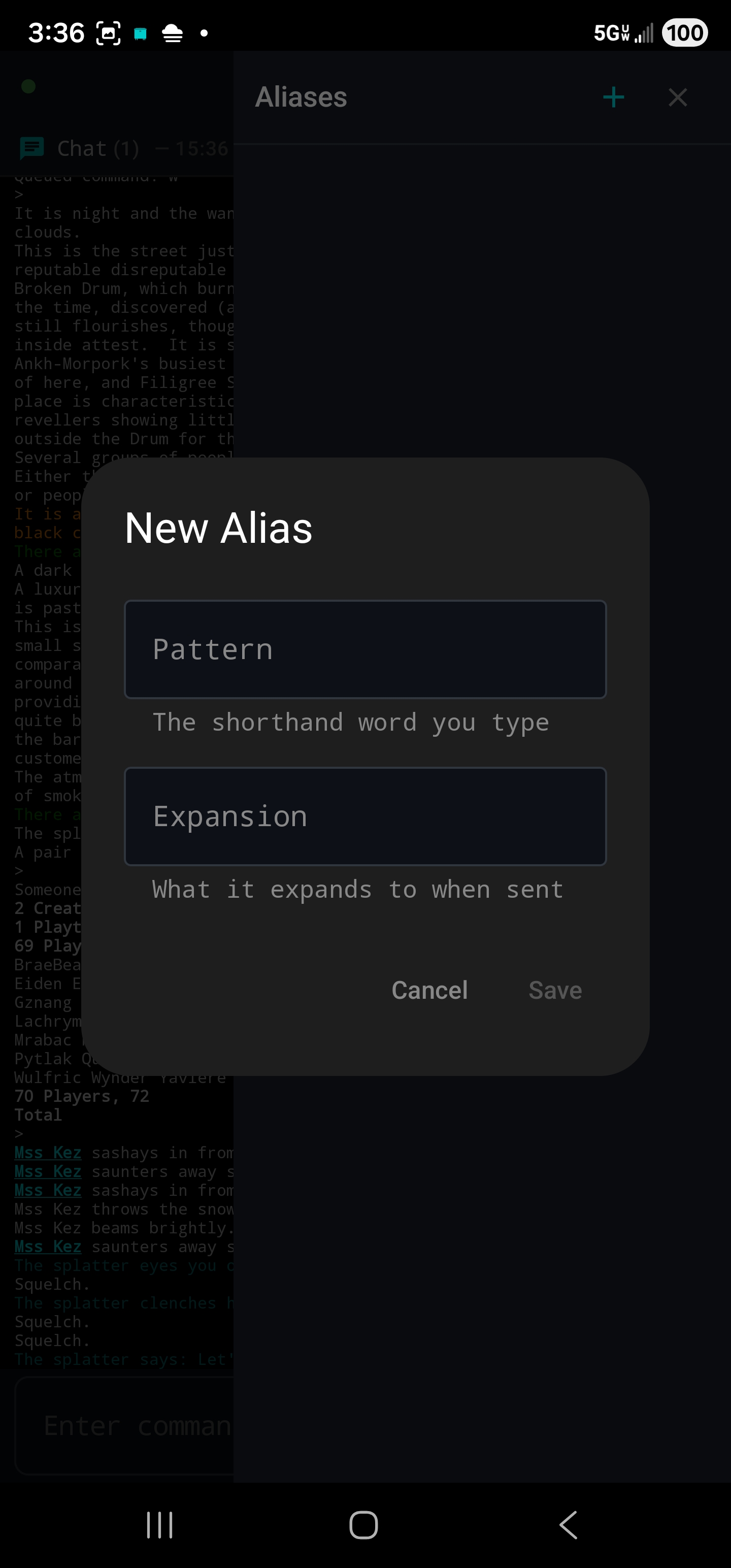
Create shorthand for frequently used commands. When the first word of your input matches an alias, it's automatically replaced before being sent.

Examples

  • kb → kill bandits — typing "kb" sends "kill bandits"
  • kbl → kill bandits;loot — sends two commands
  • gs → get sword from bag

Tips

  • Keep patterns short and unique (2–3 characters)
  • Extra text you type after the alias is appended to the expansion
  • Aliases only match the first word, so they won't interfere with regular commands
Command Separator

Send multiple commands in a single line by separating them with a semicolon (;).

Example: get sword;wield sword;kill troll sends three separate commands.

Literal Semicolons

Use \; to send a real semicolon without splitting. Useful for creating MUD-side aliases.

🗺 Map

A visual minimap powered by Quow's Discworld mapping database. Shows your current position as an orange dot, updating in real-time.

Features

  • Collapsible mini-map panel between chat and game output
  • Full-screen map overlay — browse all areas, tap to navigate
  • Map selector for all area maps (Ankh-Morpork, Sto Plains, Ramtops, etc.)
  • Pinch to zoom, drag to pan, tap to navigate
  • Cross-map navigation supported
👥 Who's Online

See who's currently logged in, grouped by role (Creators, Playtesters, Players).

Player Actions

  • Finger — sends "finger <name>" immediately
  • Tell — pre-fills "tell <name> " in your input
  • Soul Commands — 16 categories, 659 souls. Tap to send immediately
Favorites

Save rooms as named bookmarks for one-tap speedwalk travel. Great for guild halls, shops, and quest locations.

Speedwalk Engine

Tap any favorite to start auto-walking. A progress bar shows destination, step count, and a cancel button. The engine fires direction commands with a small delay between each, tracking room confirmations in real time.

👈 Swipe Navigation

Two-finger swipe on the game output to move in any of 8 compass directions with haptic feedback. Off by default — enable in Settings.

Directions

  • Swipe up → north
  • Swipe right → east
  • Swipe down → south
  • Swipe left → west
  • Diagonal swipes for NE, SE, SW, NW
Command History

Recall your last 200 commands via arrow buttons, swipe gesture on the command bar, or hardware keyboard arrow keys.

Keep Last Command

Enable in Settings to leave the sent command in the input bar after sending. Tap Send again to repeat. Typing a new command replaces the old text automatically.

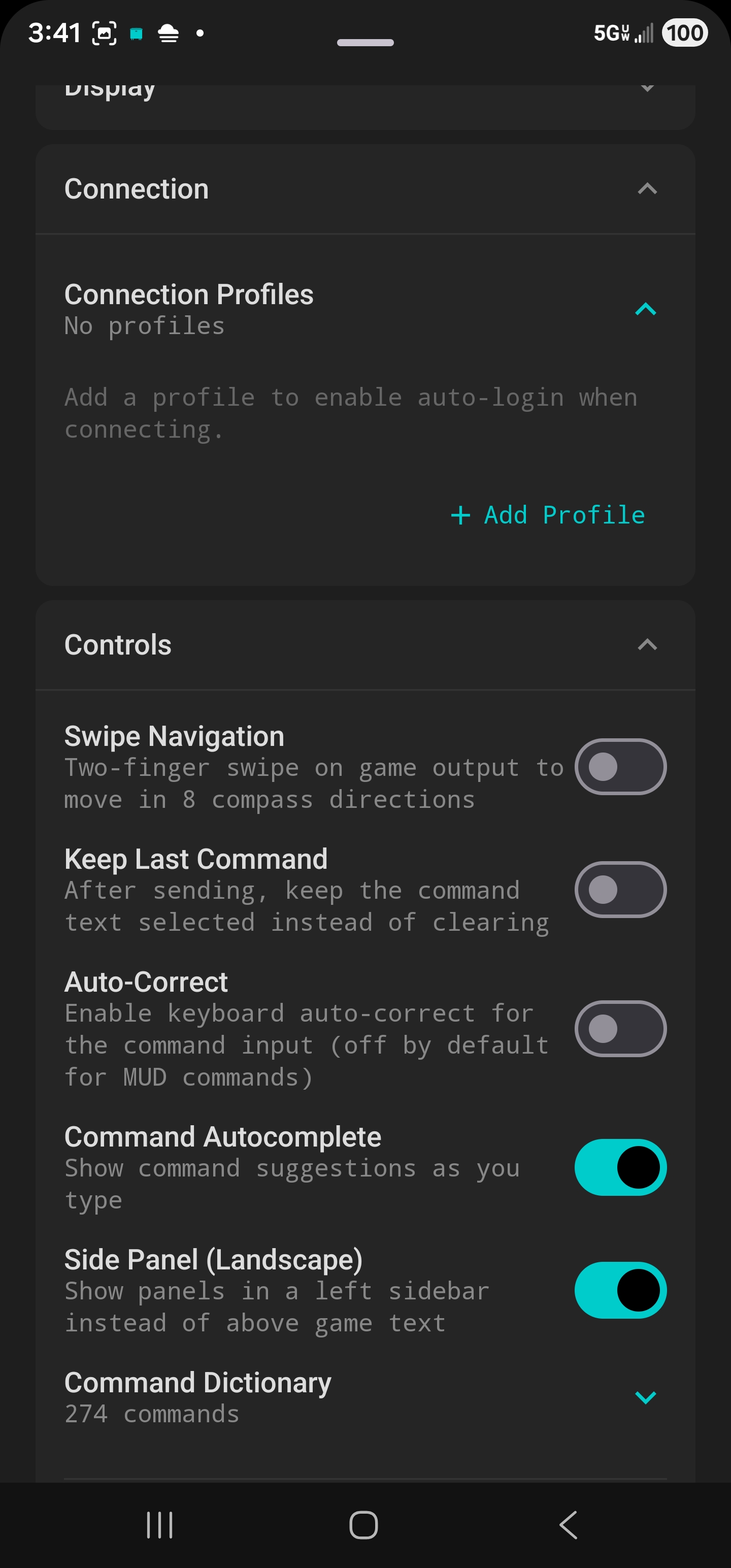
Auto-Correct

Keyboard auto-correct is disabled by default. MUD commands and server-side aliases aren't in the phone's dictionary, so auto-correct tends to replace them with unrelated words.

Enable it in Settings → Controls → Auto-Correct if you prefer it on for chatting.

📈 XP Tracker

Monitors experience points using GMCP char.vitals data. Live HP/GP bars, current XP, and burden percentage.

Session Tracking

Start a session to track XP gained, elapsed time, and XP/hr. Set a target with a progress bar and estimated time remaining. Configurable alerts when the target is reached.

Floating Overlay

A compact, draggable HUD over the game output showing HP/GP bars and session stats at a glance.

Vitals Triggers

Fire actions when HP, GP, XP, or burden crosses a threshold. Edge-triggered with configurable cooldown. Supports all trigger action types.

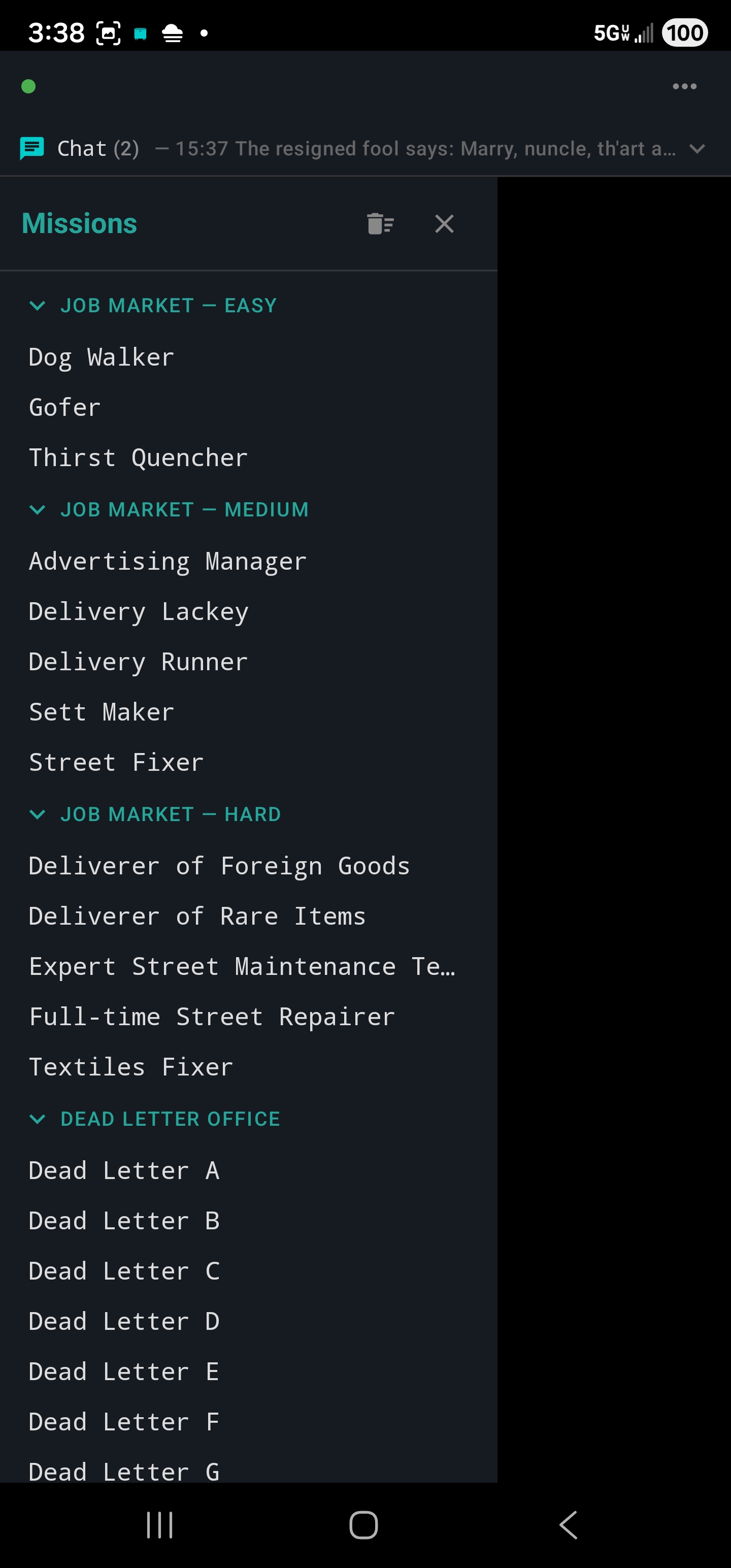
📋 Mission Tracker

Automatically detects mission completions and starts cooldown timers. No setup required — just play the game.

Visual Cooldowns

Color-coded progress bars: red on cooldown, amber under 10 minutes, green when ready. Live countdown and completion count badges.

Persistence

Cooldowns survive app restarts. Missions are grouped by category with collapsible headers. Long-press to manually reset.

📝 Session Logging

Records everything to and from the MUD as an HTML file with full ANSI colors preserved. Open in any browser to review past sessions with exact colors.

What's Logged

All MUD output with colors, your sent commands (cyan border), system messages, trigger messages, and timestamps on every line.

🔗 Clickable Links

URLs in the MUD output are automatically detected and made clickable. Tapping a URL opens it in your device's browser. Works in both main output and chat capture panel.

👤 Clickable Player Names

Player names in the game output are automatically detected and made tappable. Tap to open a quick-action menu with Finger, Tell, and soul commands.

Title Stripping

Luggage strips known Discworld titles (Bearded, Lord, Granny, Sir, etc.) to extract the actual character name for commands.

Tell Replies

When someone sends you a tell, their name is tappable with Reply as the first option for quick responses.

📖 Discworld Wiki

Built-in wiki browser for the Discworld Wiki (dwwiki.mooo.com). Search, browse, pinch-to-zoom, and save pages for offline reading.

Features

  • Autocomplete search suggestions
  • Bookmark pages with embedded images for offline access
  • Back navigation and loading indicator
  • External links open in system browser
🔧 Troubleshooting

Text Wrapping / Column Width

If text wraps at the wrong width, type term network in the MUD after logging in. This tells Discworld to negotiate terminal size automatically. You only need to do this once.

You can also manually set column width with cols <number>.

Chat Panel Text Size

The chat panel scales text to fit the same column width the MUD uses. Chat text may appear slightly smaller to account for the timestamp column.

📦 Configuration Packs

Export and import your entire setup (triggers, aliases, timers, capture rules, quick commands) as a single .luggage.json file.

Import Modes

  • Merge — adds imported items alongside existing ones, skipping duplicates
  • Replace — clears existing items in selected categories and replaces with pack contents

Great for backups and sharing setups with other players.

🎒 Inventory Panel

Visual, interactive view of everything you're holding, wearing, and carrying. Sits above the game output so you can keep playing.

Item Actions

  • Look, Read, Appraise, Condition
  • Wear / Remove, Hold / Unhold, Drop
  • Put in <container> for non-container items

Containers

Items detected as containers get extra options: Look Inside (orange sub-panel), Open/Close, and Get to take items out.

Give to Player

When other players are in the room, "Give to <name>" options appear automatically. Do a 'look' in the room to pick up who's around.

🛒 Shop Panel

Browse, inspect, and buy items from any shop without typing commands. Supports both NPC and player-run shops.

Browsing & Buying

Tap any item to Browse (full description) or Buy (sends the command). Each row shows shop code, name, price, and quantity.

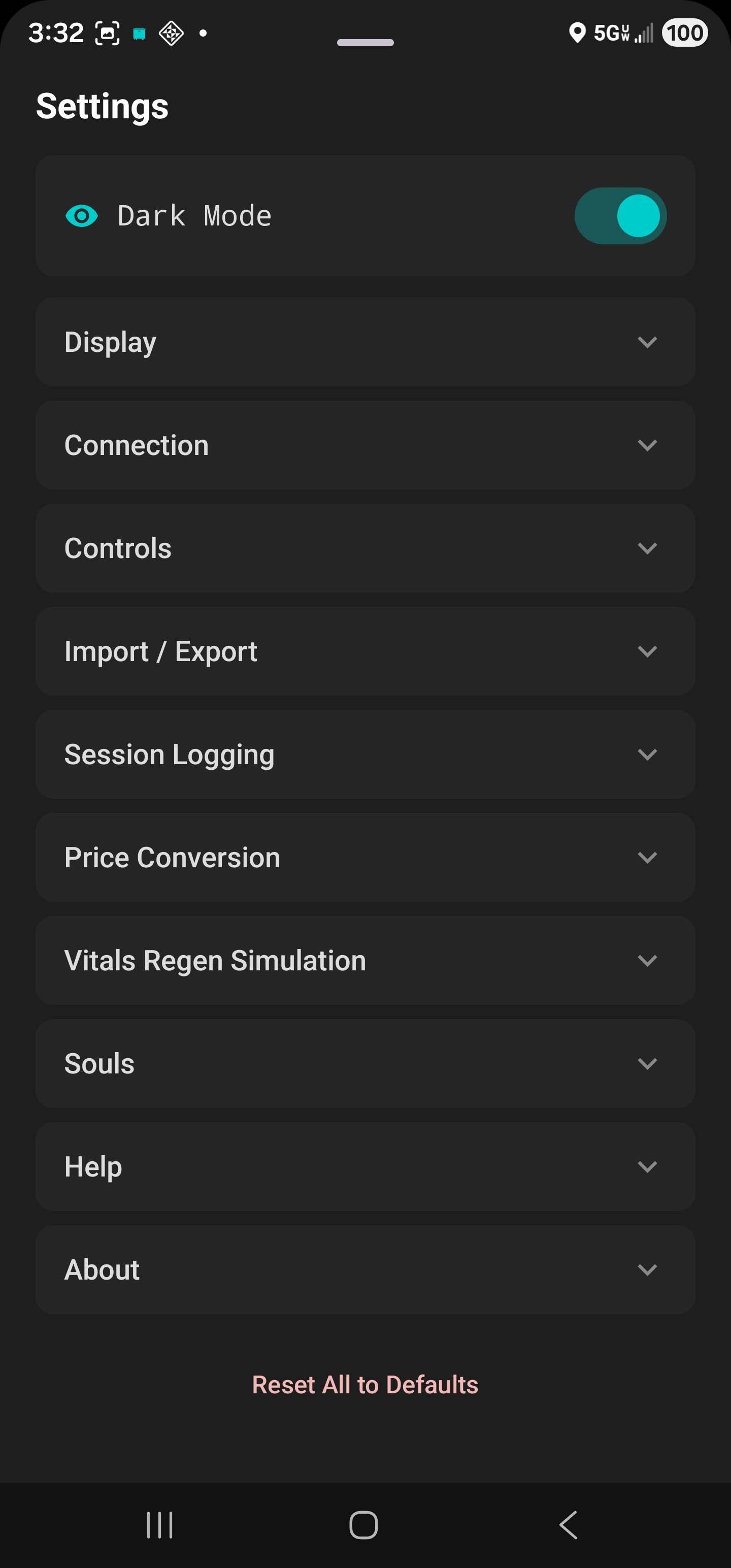
Price Conversion

Set a home currency in Settings to see converted prices. All seven Discworld currencies supported: Ankh-Morpork, Bes Pelargic, Djelibeybi, Ephebe, Lancre, Klatch, and Genua.

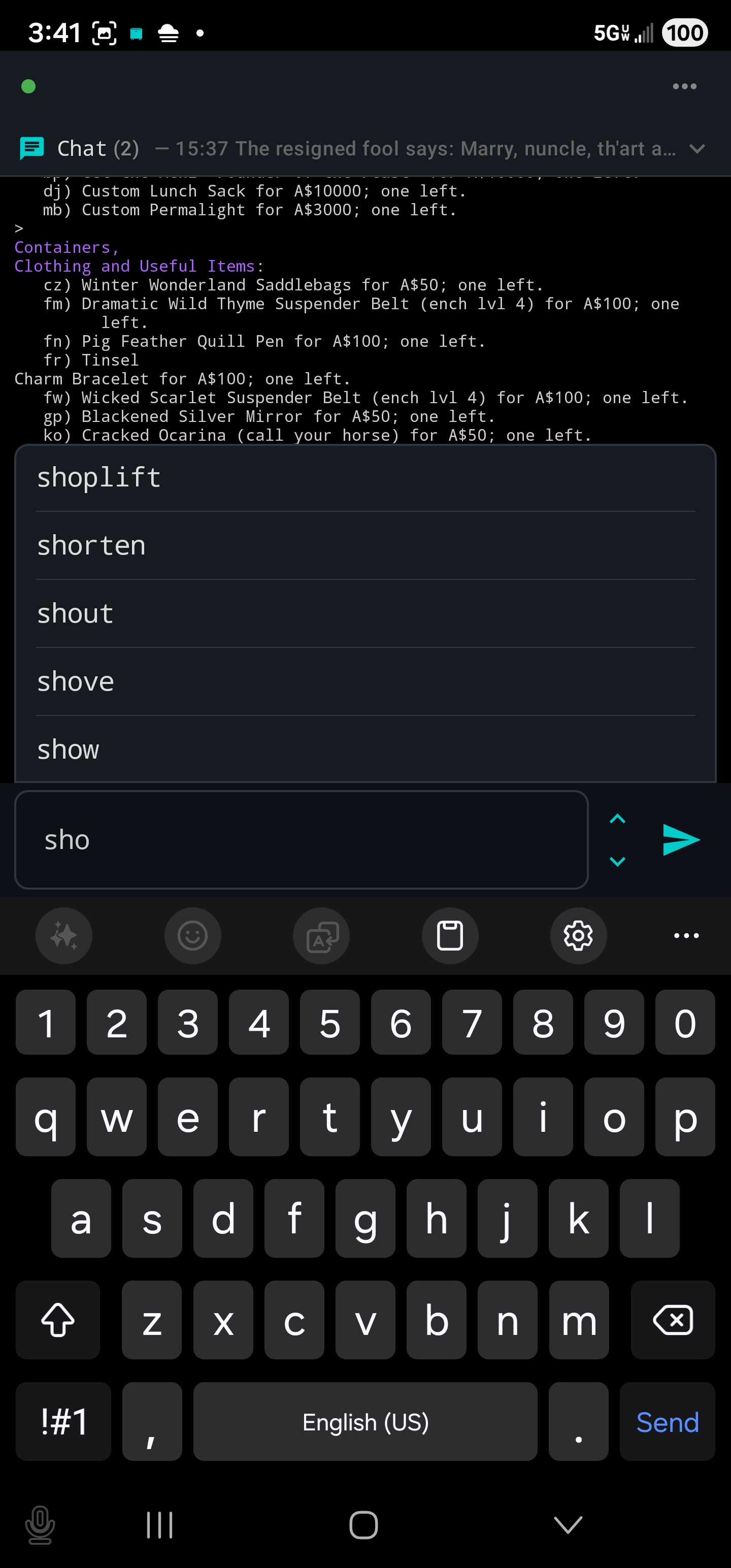
💬 Command Autocomplete

Suggests matching MUD commands as you type. A popup shows up to six matching commands. Tap a suggestion to fill it in.

Dictionary

Pre-loaded with 200+ Discworld commands. Customize in Settings: add, remove, filter, or reset to defaults. The dictionary is included in Import/Export packs.

📖 The Weight of Responsibility

A single-player Discworld text adventure playable from the dashboard. Gordon Ravity needs your help. The Auditors of Reality have plans for gravity.

Commands

  • look (l) — look at surroundings
  • look <thing> / examine (x) — examine something
  • say <message> — say something out loud
  • ask <person> about <topic> — ask a question
  • score (sc) — view character details
  • inventory (i) — check what you're carrying
  • n / s / e / w — move in a direction
  • get <thing> — pick something up

Guild-Aware Story

If you have a Discworld character imported, the adventure knows your guild, skills, and stats. Future scenes offer guild-specific dialogue.

👤 Connection Profiles

Store your character's login credentials for one-tap connect. Create profiles for each of your Discworld characters.

Auto-Login

Luggage watches for login prompts and enters your name and password automatically. The entire process takes about one second.

Profile Selection

  • No profiles — connects normally (manual login)
  • One profile — uses it automatically
  • Default profile set — uses the default
  • Multiple, no default — shows a picker

Security

Passwords are stored locally on your device. When exporting config packs, passwords are stripped. Imported profiles need passwords re-entered.

🎯 Radial Gesture Wheels

Floating circular controls on the game screen. Press and drag in a compass direction (N, NE, E, SE, S, SW, W, NW) or release in the centre to execute up to 9 commands from a single button.

Using a Wheel

Press and hold the wheel button. A radial guide ring shows all 8 directions plus centre. Drag toward a direction and release to fire that slot’s command. Release inside the dead zone to fire the centre slot. Haptic feedback ticks as you cross sector boundaries.

Creating & Configuring

  • Open Quick Commands, tap +, choose “Radial Wheel”
  • Assign each directional slot a command and short label (up to 6 characters)
  • Leave unused slots blank — they show as dimmed dots
  • Wheels belong to groups and share visibility with Quick Commands

Overlay Settings

  • Opacity (20–100%)
  • Text size (8–24sp)
  • Wheel button diameter (32–72dp)
  • Drag to reposition when overlay is unlocked; positions are saved
📡 Nearby

Shows NPCs, players, and other entities in surrounding rooms, detected automatically via GMCP. Tap the Nearby icon in the toolbar menu to open the panel.

Panel Features

  • Entities grouped by direction (Here, North, South, etc.) with counts
  • Player names in cyan; NPC names in white
  • Tap a direction header to walk to that room
  • Updates automatically as you move

Floating Overlay

Toggle the overlay icon to show a compact, draggable version on the game screen.

Entity Filter

Type in the filter field to show only matching entities. Separate multiple keywords with commas. Save filters as preset chips with the + button. Filters apply to both the panel and overlay.

🚨 Entity Alerts

Fire when specific NPCs or players appear in nearby rooms. Get notified when a target spawns, a player approaches, or a quest NPC is close by.

Actions

  • Local Message — notification in game output
  • Sound — play an alert sound
  • Vibrate / Flash — physical device alerts
  • Speak Text — announce via TTS
  • Send Command — send a command to the MUD
  • Highlight — colour the entity in the Nearby panel

Deduplication

Each entity/alert pair fires at most once per room. Moving to a new room resets tracking, preventing spam on repeated data refreshes.

Tips

  • Use substring matching for simple names (e.g., death matches “Death” and “death guard”)
  • Toggle regex for precise patterns (e.g., ^death$ for exact match only)
  • Organize alerts into groups; toggle enable/disable without deleting
🔊 Text-to-Speech

Luggage can speak text aloud using your device’s built-in TTS engine. Add a “Speak Text” action to any trigger, timer, vitals trigger, or entity alert.

Global TTS Mode

Set in Settings → Text-to-Speech:

  • Off — only Speak Text actions are spoken
  • Chat Only — speaks text matching chat capture rules
  • Chat + Rooms — also reads room descriptions
  • Everything — reads all incoming game text

Capture Groups

With regex triggers, use $0, $1, $2… placeholders in the speak text for capture group substitution.

Tips

  • Zero performance impact — TTS runs in a separate system process
  • Great for accessibility: hear combat alerts, tells, or timer reminders without looking at the screen
  • Queues up to 10 utterances to prevent runaway speech
🚪 Clickable Exits

Exit directions in the game output are automatically detected and underlined. Tap an exit to move in that direction immediately.

Smart Detection

When Luggage knows your current room (via the mapping database), it uses the room’s actual exits — including special exits like “enter stall” or “climb tree”. For unknown rooms, standard compass directions are detected in coloured text.

Long-Press Menu

  • Go — move in that direction (same as tapping)
  • Look — peek without moving
  • Glance — quick glance in that direction

Useful for scouting ahead before committing to a move, especially in dangerous areas.

💼 Job Market Panel

Browse employment listings from the Ankh-Morpork Employment Exchange. Tap the briefcase icon in the toolbar menu while inside the employment office to load the job board.

Browsing Jobs

Tap any listing to see job details, pay, and location. If the job comes with an employment writ, you can read and pin it for reference while travelling.

Pinned Writ Overlay

Tap the pin icon to float the writ over the game output. Drag to reposition. Use the tune icon to resize (50–150%). The setting persists across sessions.

📝 Notes

Jot down information while playing — quest hints, NPC locations, command sequences, or anything else you want to remember. Open from the toolbar menu (Game → Notes).

Notebooks & Tags

  • Create colour-coded notebooks via the folder icon
  • Filter by notebook using the tab row
  • Add comma-separated tags; filter by tag chips

Content Blocks

  • Text — regular paragraphs
  • Bullet — single-line bullet points
  • Game Output — monospace text for captured MUD output
  • Command Link — a label + command that can be sent to the MUD

Capture to Note

Long-press any game output line to copy it, then paste into a new note as a monospace Game Output block.

Tips

  • Pin important notes to keep them at the top
  • Search by title, content, or tags
  • Notes are included in config pack export/import
🗝 Available Skills

Enable optional MUD commands that add extra options to Luggage’s panels. Find the setting in Settings → Available Skills.

Shoplift

A covert skill that adds a “Shoplift” option to the Shop Panel’s item menu alongside Browse and Buy. Available to thieves by default, but any class can learn it through the covert skill tree.

Tips

  • Skills are saved per-profile — each character can have different skills enabled
  • Only enable skills your character actually has
  • More skills will be added in future updates
🏛 Guild & Quota Tracker

Luggage detects your guild from the MUD’s score output and displays it in the status bar. For Thieves’ Guild members, a quota tracker is available.

Guild Detection

Type score while connected. Luggage parses the output to identify your guild and specialisation. The guild name appears as a tappable purple label in the status bar, saved per-profile.

Thieves’ Quota Tracker

  • Live countdown of time remaining in the quota period
  • Amount stolen, guild cut, amount paid and owing
  • Min/max quota and max steal within quota
  • Countdown pauses on disconnect, resumes on reconnect

Licence Commands

If your licence is stored in a container, configure Before/After commands (e.g., get licence from belt / put licence in belt) to automate retrieval. Saved per-profile.

🧠 Skills Panel

Browse the complete Discworld skill tree, view your current levels and bonuses, simulate XP costs, and learn skills — all from one place. Open from the toolbar menu (brain icon).

Browsing

Seven top-level categories: adventuring, covert, crafts, faith, fighting, magic, people. Tap to drill into sub-skills. Tap “Refresh” to fetch latest data via skills raw.

Skill Detail

  • Current level and bonus
  • Description, stat weights, and uses
  • Commands that use this skill
  • Guilds with it as a primary; related spells/rituals

Bonus Simulator

Calculate the XP cost to reach a target bonus using exact formulas from bonuses.irreducible.org. Requires your character stats set in Settings → Character Stats.

Learning Skills

  • From Player — select a teacher, set levels, request and accept
  • Self-Teach — learn without a teacher (costs more XP)
  • Advance — guild advancement at your guild location (cheapest for primaries)
🎮 Controller Support

Full gamepad support for Bluetooth controllers and handheld gaming devices. Enable in Settings → Controls → Controller Support.

Movement

  • Left Stick — 8-direction movement; fires on release. Click L3 to send look
  • D-Pad — Up/Down for vertical movement, Left for enter, Right for exit. Navigates panels when focused

Face Buttons

  • A — confirm / select
  • B — cancel / dismiss / backspace
  • X — open main menu (panel picker)
  • Y — toggle controller keyboard for freeform typing

Shoulders & Triggers

  • L1 (hold) — action button wheel with target picker
  • R1 (hold) — radial wheel; right stick selects direction
  • L2 — repeat last command
  • R2 — open quick button menu

Other

  • Right Stick — scroll game output; navigate menus when open
  • R3 / Select — toggle map panel
  • Start — open settings
  • Touch input still works alongside the controller

See it in action.

Video coming soon

Why Luggage?

Named after The Luggage from Terry Pratchett's Discworld novels — a large, sentient travelling chest made of sapient pearwood, with dozens of little legs and a very bad attitude — Luggage is a MUD client built specifically for Discworld MUD.

Discworld MUD is a free, text-based multiplayer game that's been running since 1991. It's set in Terry Pratchett's Discworld universe, and it's one of the most detailed and well-written MUDs ever made. If you've never tried a MUD before, it's like a massive multiplayer RPG where everything happens through text. Your imagination does the rendering.

I built Luggage because I wanted to play Discworld MUD on my phone without fighting a generic terminal app. The live map, speedwalk, and other features make mobile play actually comfortable. It's free, no ads, and built by a Discworld player for Discworld players.

Download Luggage.

Available on the Google Play Store (Beta ends June 1st) or grab the latest APK directly.